| |
ID |
Date |
Author |
Subject |
|
|
666
|
Sat Jun 17 11:00:55 2017 |
TD | Report - high - 'zero all histograms' doesn't |
The DAQ Run Control 'zero all histograms' function appears to have stopped working
- an issue related to the new RunControl/sys.tcl ... ?

See https://elog.ph.ed.ac.uk/AIDA/662 |
|
|
672
|
Mon Jun 19 08:52:40 2017 |
TD | Report - high - 'zero all histograms' doesn't | >
> The DAQ Run Control 'zero all histograms' function appears to have stopped working
> - an issue related to the new RunControl/sys.tcl ... ?
>
> See https://elog.ph.ed.ac.uk/AIDA/662
Fault discovered and file edited at Daresbury.
A piece of random text was in the " zero histograms" process. |
|
|
673
|
Mon Jun 19 08:58:00 2017 |
TD, Patrick | Report - high - 'zero all histograms' doesn't | >
> The DAQ Run Control 'zero all histograms' function appears to have stopped working
> - an issue related to the new RunControl/sys.tcl ... ?
>
> See https://elog.ph.ed.ac.uk/AIDA/662
Fault discovered and file edited at Daresbury.
A piece of random text was in the " zero histograms" process.
The repaired file has been installed in RIKEN. |
|
|
143
|
Wed Jan 20 16:44:02 2016 |
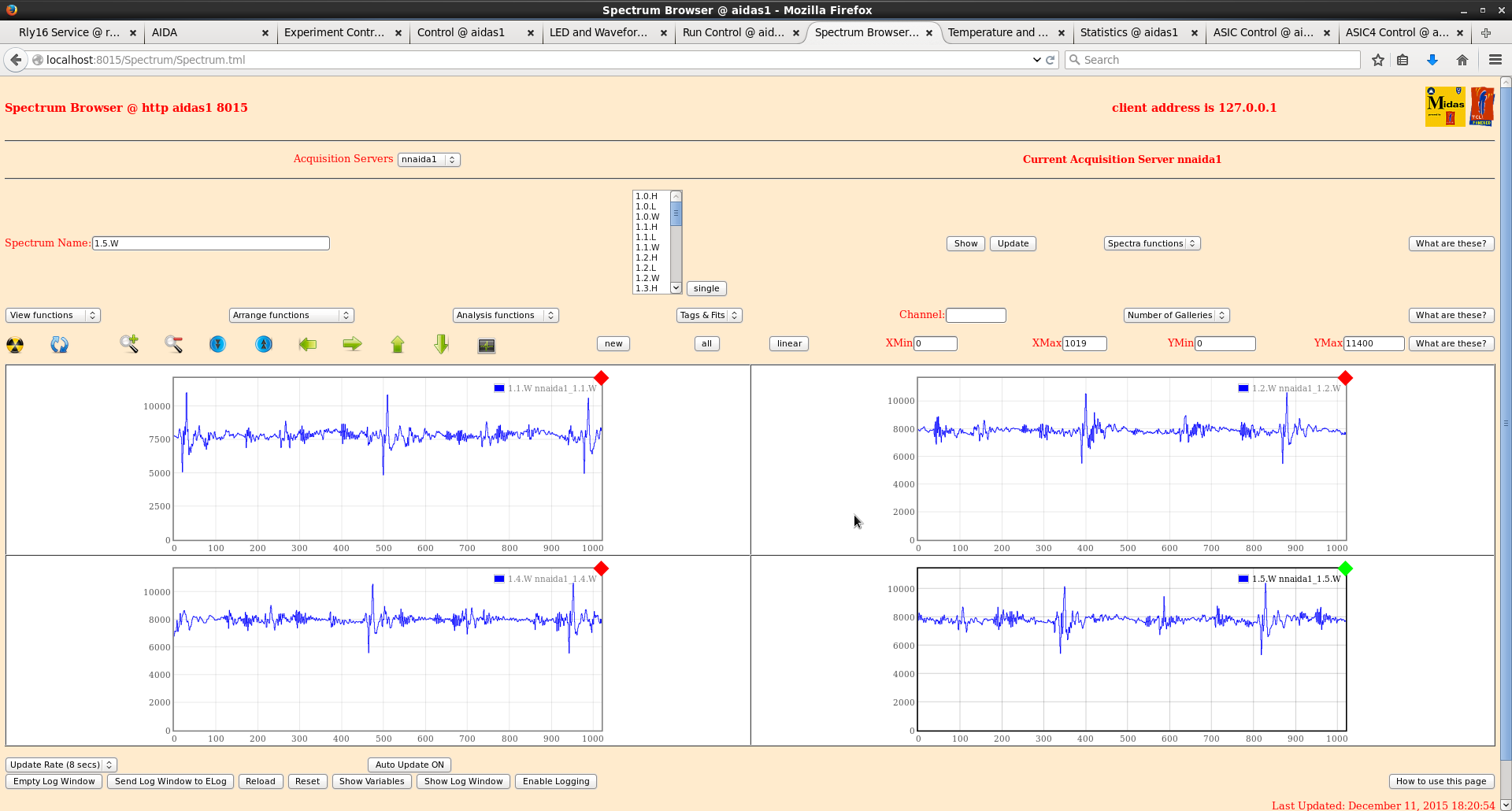
TD | Report - LOW - spectrum browser x/y expand |
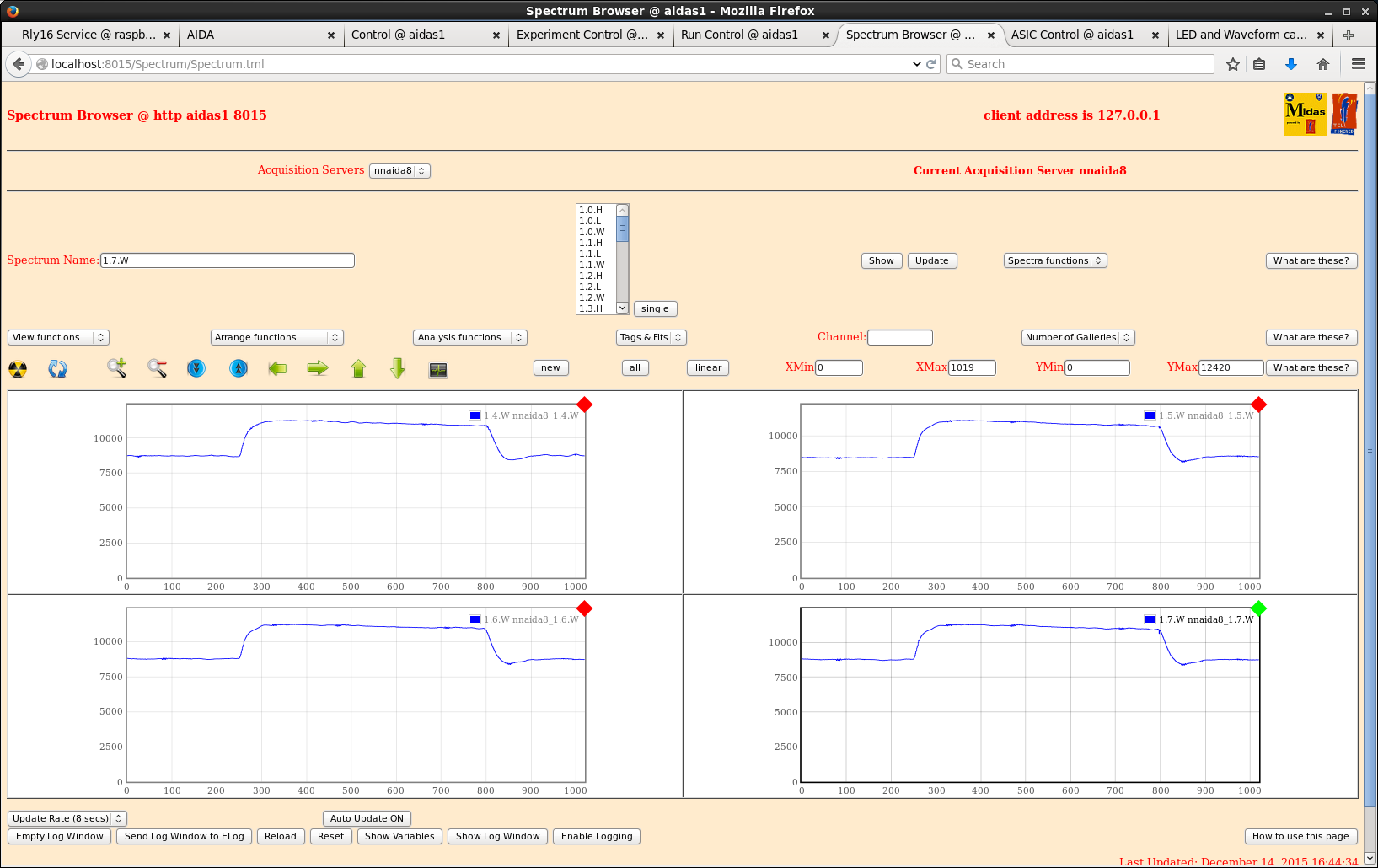
Spectrum Browser

y expand by manual entry of values to YMin/YMax does not work unless the spectrum
has first been expanded/moved using the Expand/Contract Y or Move View up/down
buttons.

Also, the only spectrum affected by manual entry of values to YMin/YMax or
XMin/XMax is the 'current' spectrum (gallery) regardless of current/all gallery
setting. |
|
|
926
|
Wed Nov 22 13:44:36 2023 |
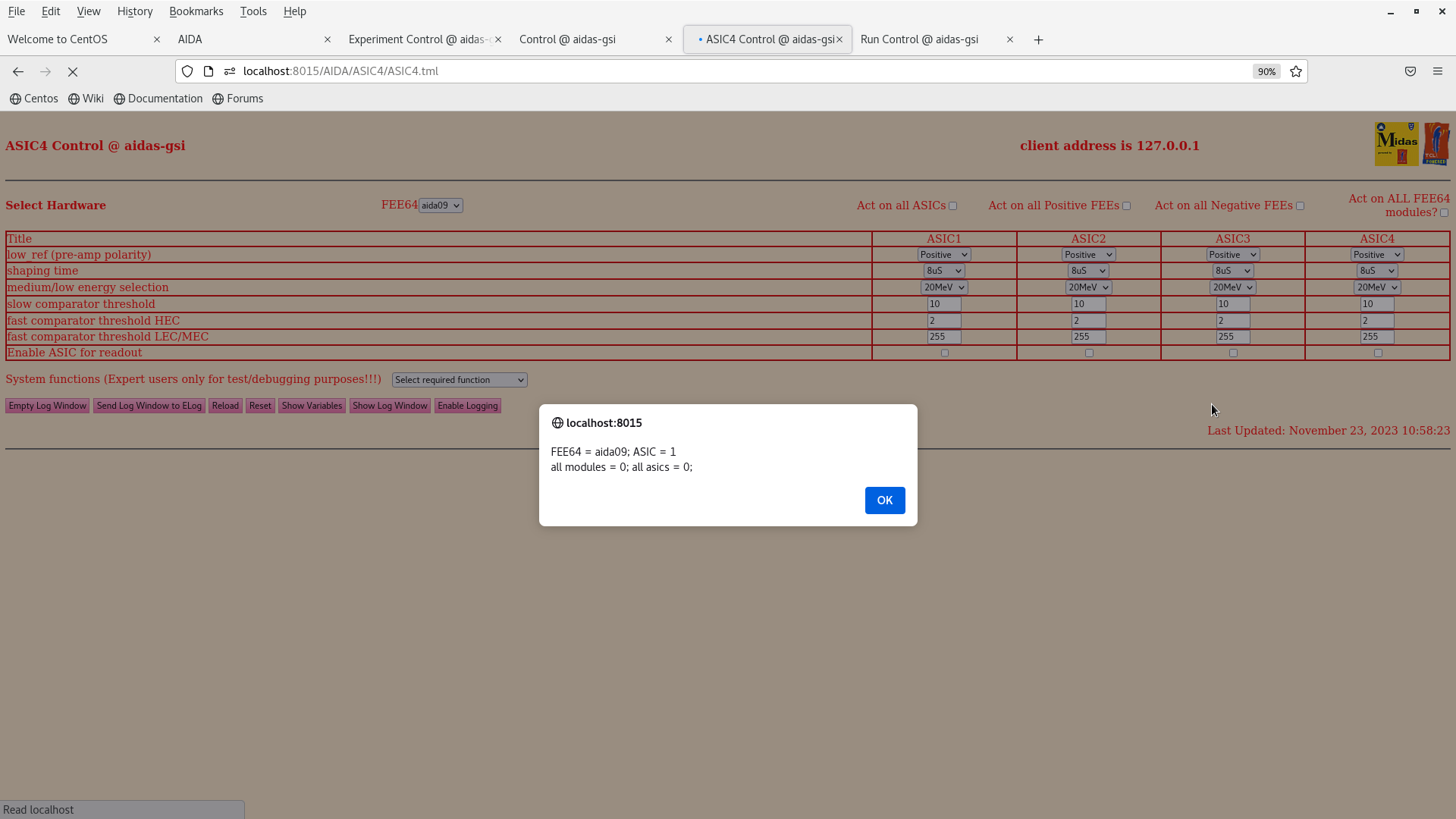
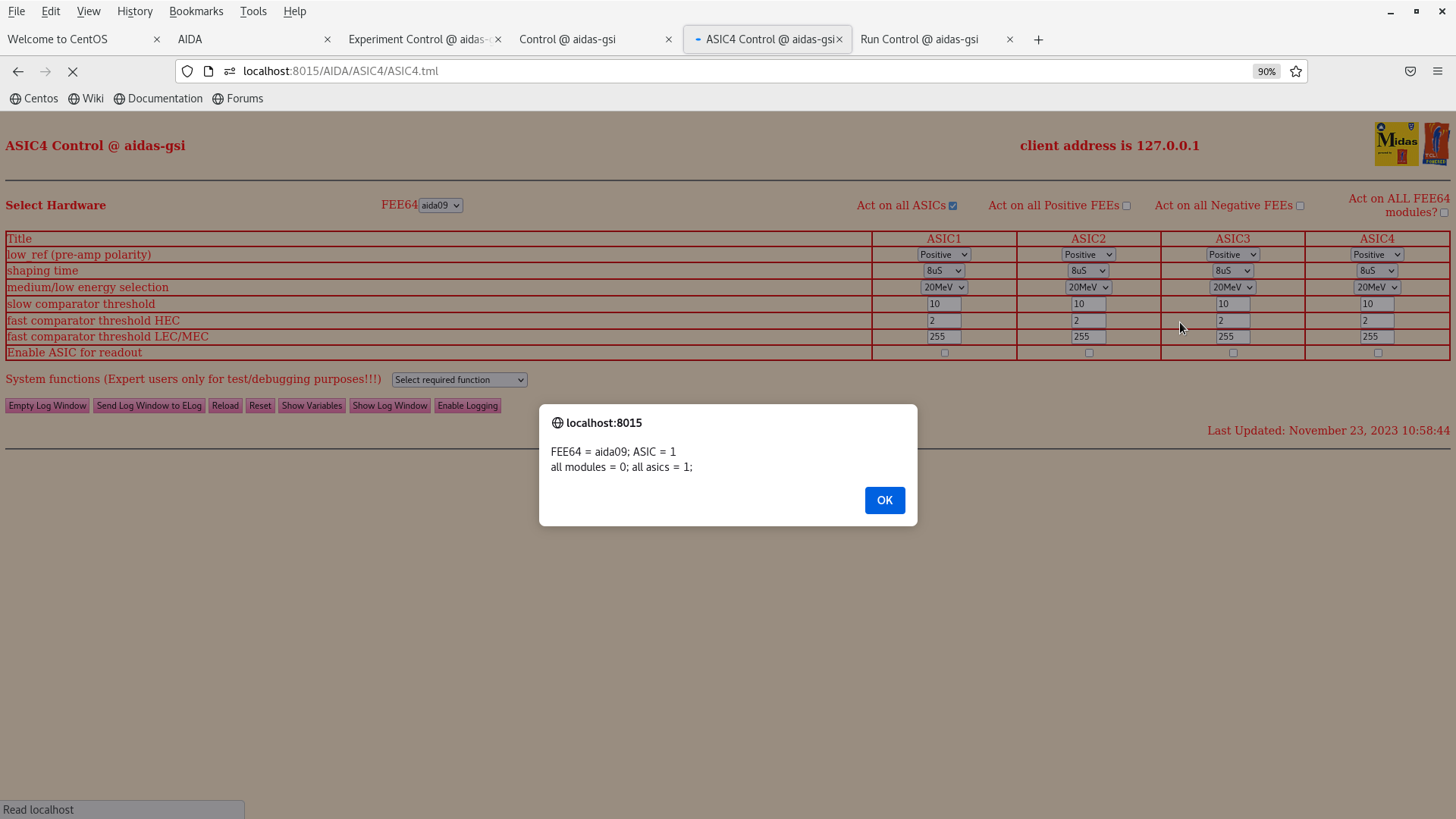
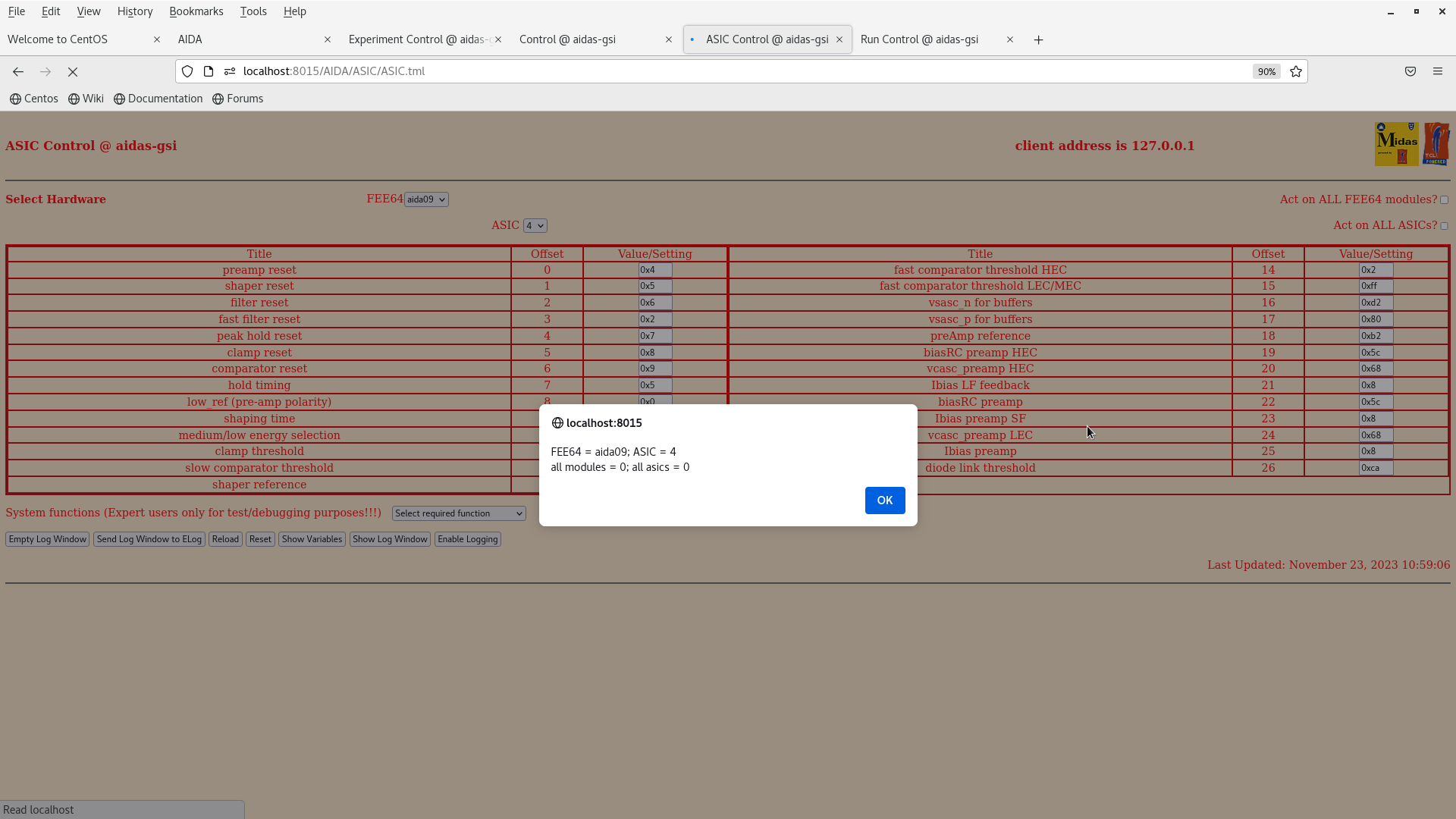
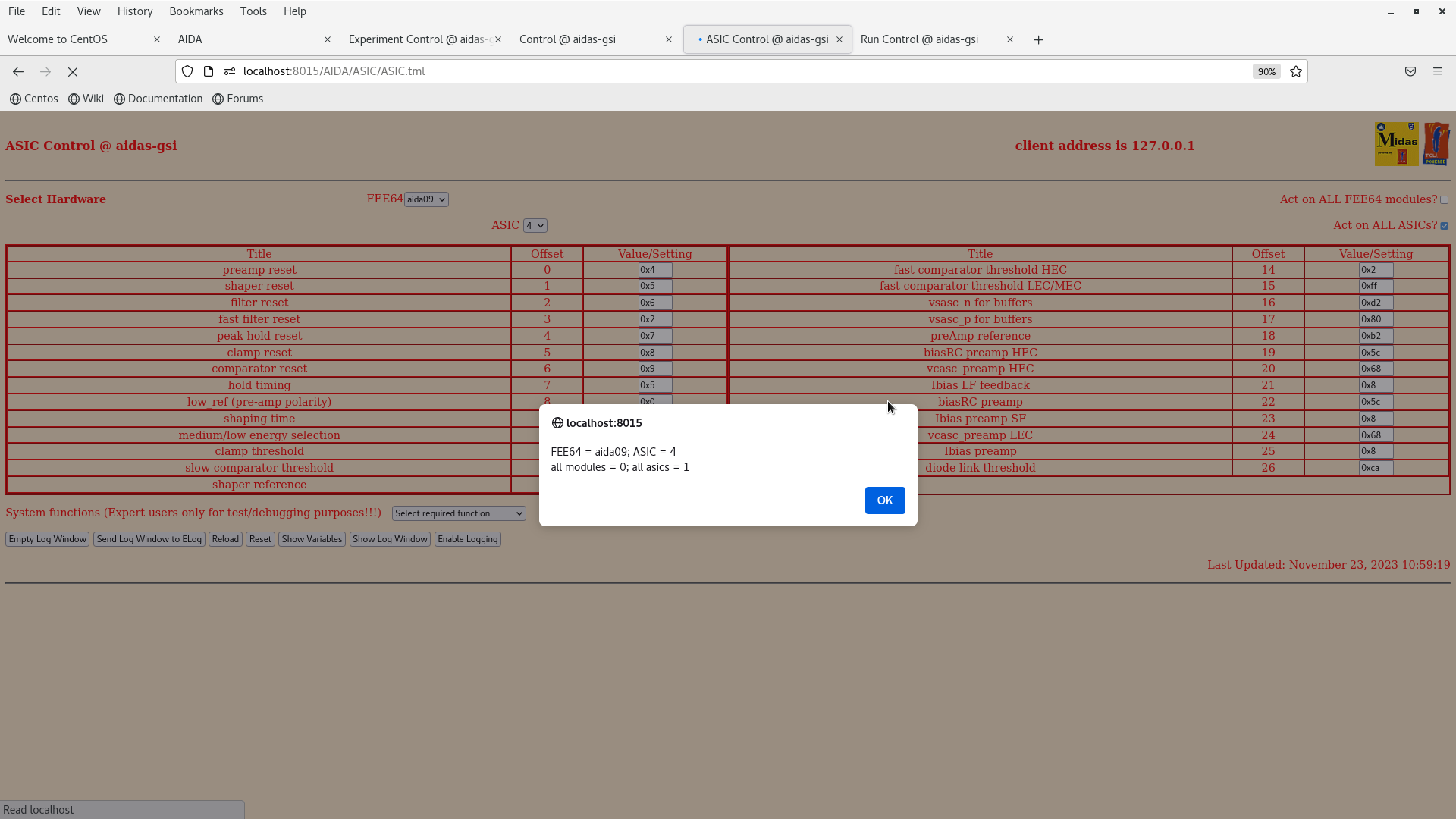
NH | Report - Cannot change per-ASIC Settings | On ASIC settings page trynig to change the settings for one ASIC (e.g. ASIC1 of aida09) seems to cause all 4 ASIC settings to change
1. Ensure act on all FEEs and act on all ASICs unticked
2. Change aida09 asic1 low_ref to 0x1
3: Change to aida09 asic4
4: aida09 asic4 low_ref also changed to 0x1 |
|
|
929
|
Thu Nov 23 10:00:16 2023 |
NH | Report - Cannot change per-ASIC Settings | > On ASIC settings page trynig to change the settings for one ASIC (e.g. ASIC1 of aida09) seems to cause all 4 ASIC settings to change
>
> 1. Ensure act on all FEEs and act on all ASICs unticked
> 2. Change aida09 asic1 low_ref to 0x1
> 3: Change to aida09 asic4
> 4: aida09 asic4 low_ref also changed to 0x1
Variable dumps for ASIC and ASIC4 |
| Attachment 1: Screenshot_from_2023-11-23_10-58-30.png
|
|
| Attachment 2: Screenshot_from_2023-11-23_10-58-57.png
|
|
| Attachment 3: Screenshot_from_2023-11-23_10-59-12.png
|
|
| Attachment 4: Screenshot_from_2023-11-23_10-59-24.png
|
|
|
|
932
|
Wed Dec 6 16:32:03 2023 |
NH | Replacement of faulty Honeywell HSS-DPS sensor |
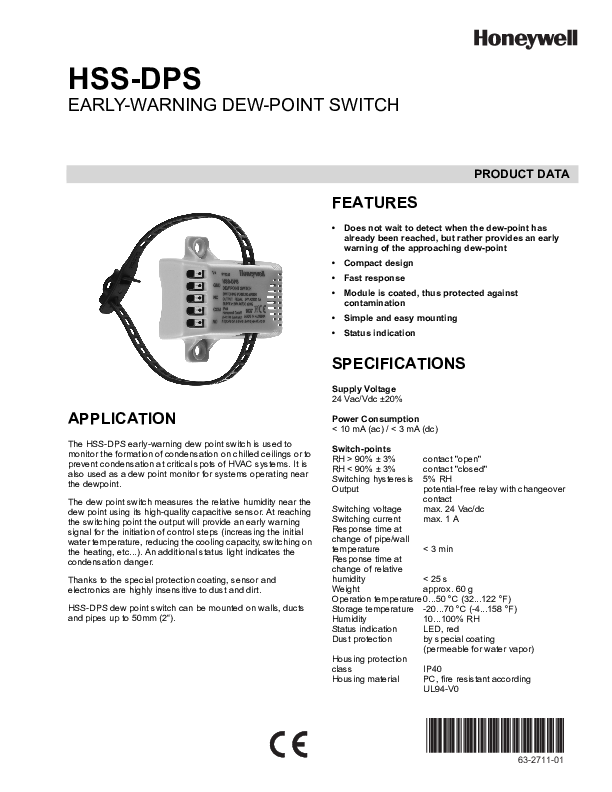
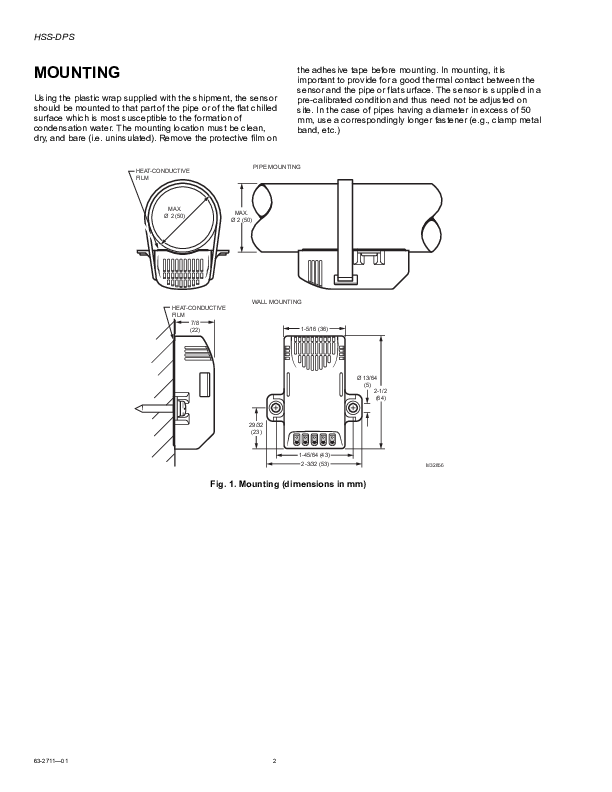
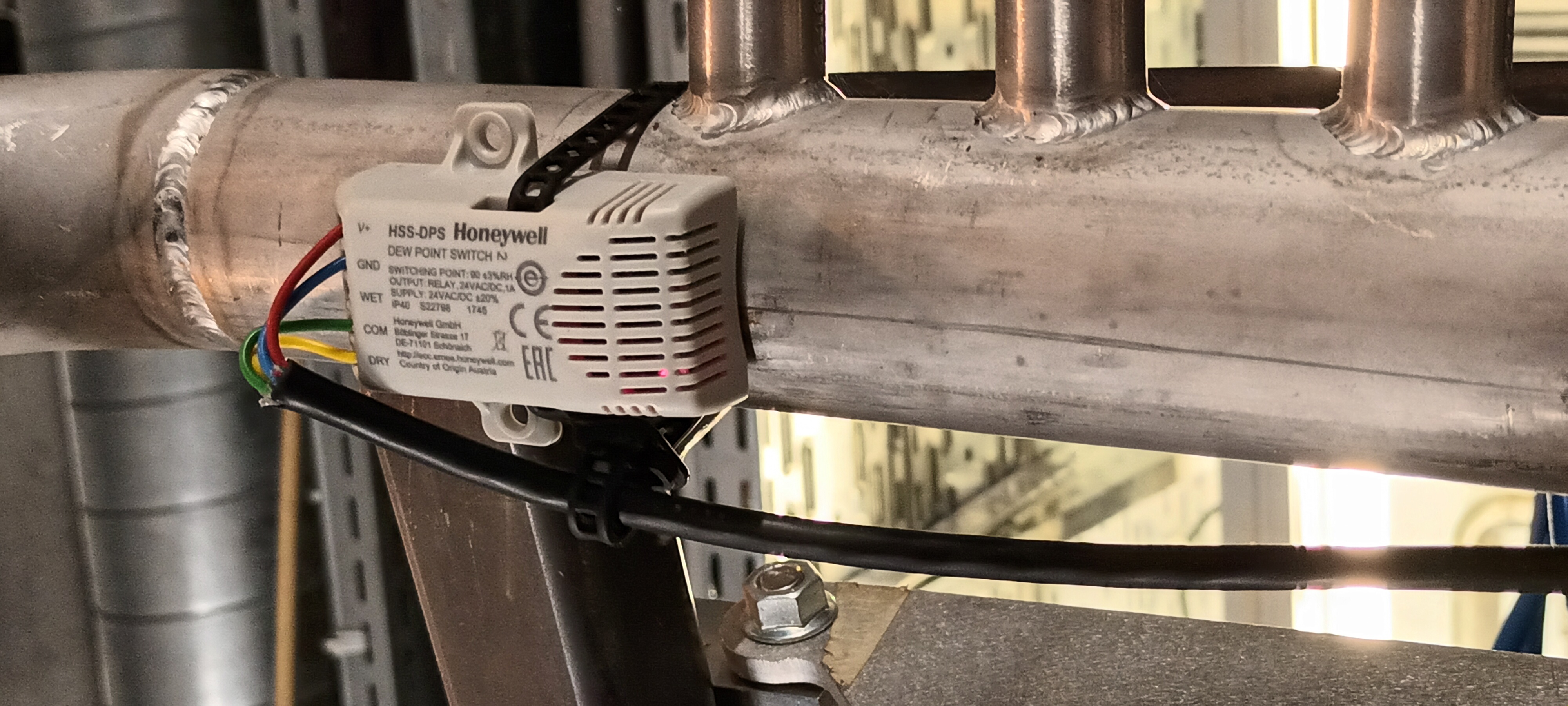
Honeywell HSS-DPS sensor is faulty - attachments 1 & 2

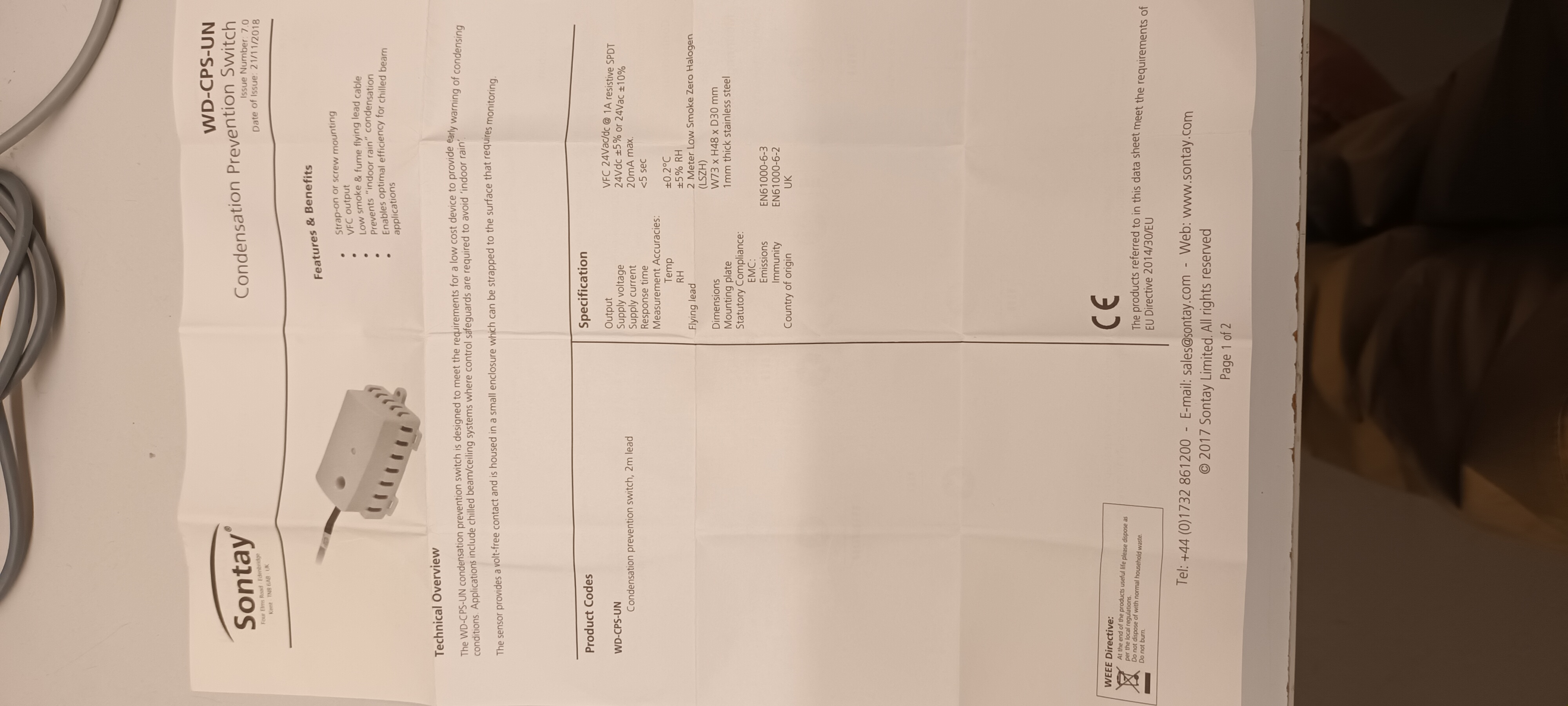
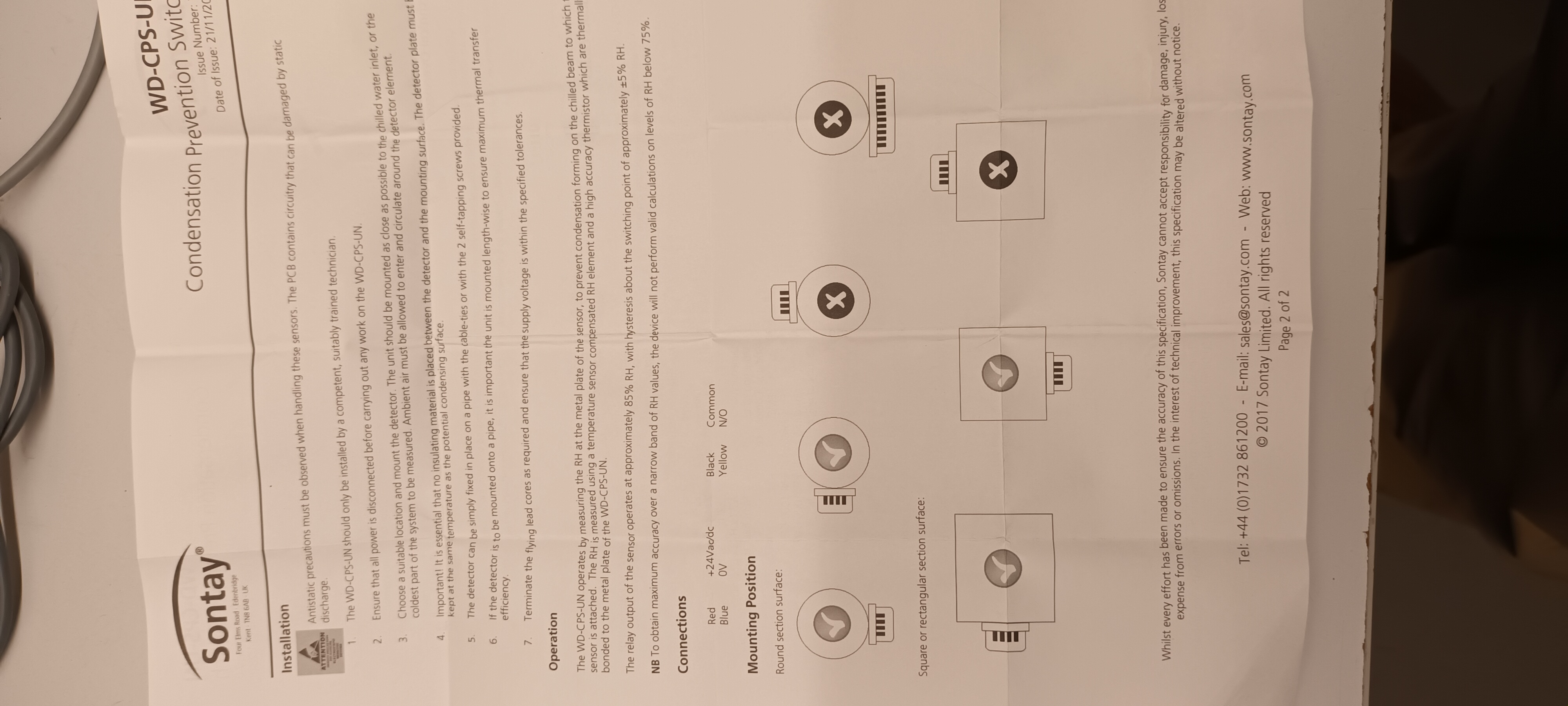
Replace with Sontay Condensation Prevention Switch - attachments 3 & 4

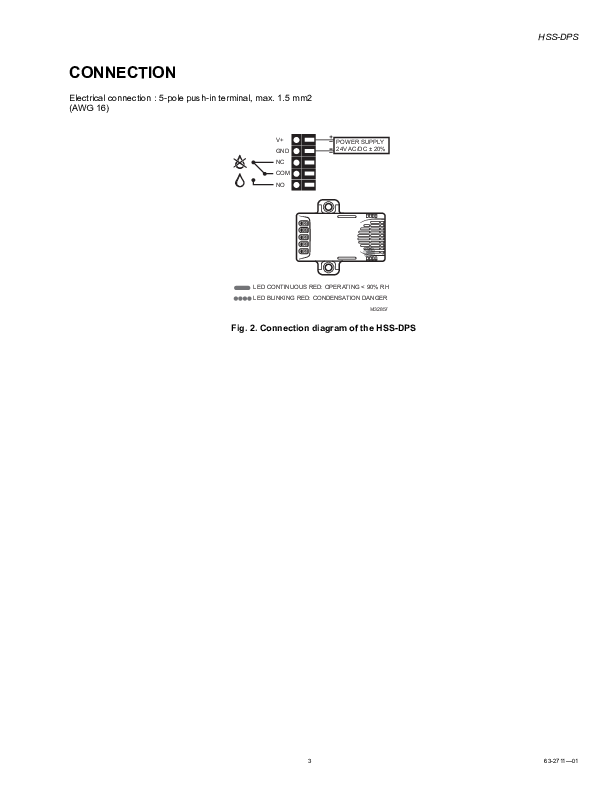
Wiring

      Honeywell             Sontay
      V+(*) red             V+(*) red
      GND   blue            0V    blue
      COM   green           COM   black
      DRY   yellow          N/O   yellow

Honeywell V+ 24V ac/dc +/- 20%
Sontay V+ 24V dc +/-5%, 24V ac +/-10%

V+ measured as +16.5V dc with DMM

Interlock still not working

- V value too low ?
- Honeywell DRY not equivalent to Normally Open ? |
| Attachment 1: Honeywell_HSS-DPS_63-2711.pdf
|

|
| Attachment 2: 1000008603.jpg
|
|
| Attachment 3: 1000008604.jpg
|
|
| Attachment 4: 1000008605.jpg
|
|
|
|
530
|
Wed Jan 18 14:16:47 2017 |
Patrick Coleman-Smith | Repaired Modules returning to RIKEN | Five modules are being returned to RIKEN after repair.
The MAC addresses are :-
00:04:a3:2a:ED:8f
00:04:a3:2a:f6:d4
00:04:a3:2b:22:6e
00:04:a3:2b:33:15
00:04:a3:2a:d0:1a
00:04:a3:2b:33:0c
00:04:a3:2a:b6:45
00:04:a3:2a:b2:b2
00:04:a3:2b:09:da
00:04:a3:2b:11:c5
|
|
|
9
|
Thu Sep 25 11:35:18 2014 |
Patrick Coleman-Smith | Removing the MACB from the system | I have been wondering if the 0v path from the FEE64s to the MACB where they are joined is a possible problem.
I have been contemplating an isolated LVDS interface for the 50Mhz clock to test the idea.
Fortunately i recalled the 50Mhz internal oscillator in each FEE64.
I have disconnected the FEE64s from the MACB and run them using their internal 50Mhz clok.
No apparent change in performance.....
With Detector on. Using 'little block' HV supply. 11&12 with pre-amp ref set at 0x30.
The rates are as follows:-
nnaida11: 19k
nnaida12: 52k
nnaida13: 10k
nnaida14: 10k
The stat spectra of 13 & 14 look ok.
The stat spectra of 11 and 12 are strange and noisy but not "mad".
Maybe when the power supply filters are in place this can be revisited
|
|
|
281
|
Mon Jun 6 11:17:30 2016 |
TD, ML & YS | Re-configure merger to ignore nnaida19 |
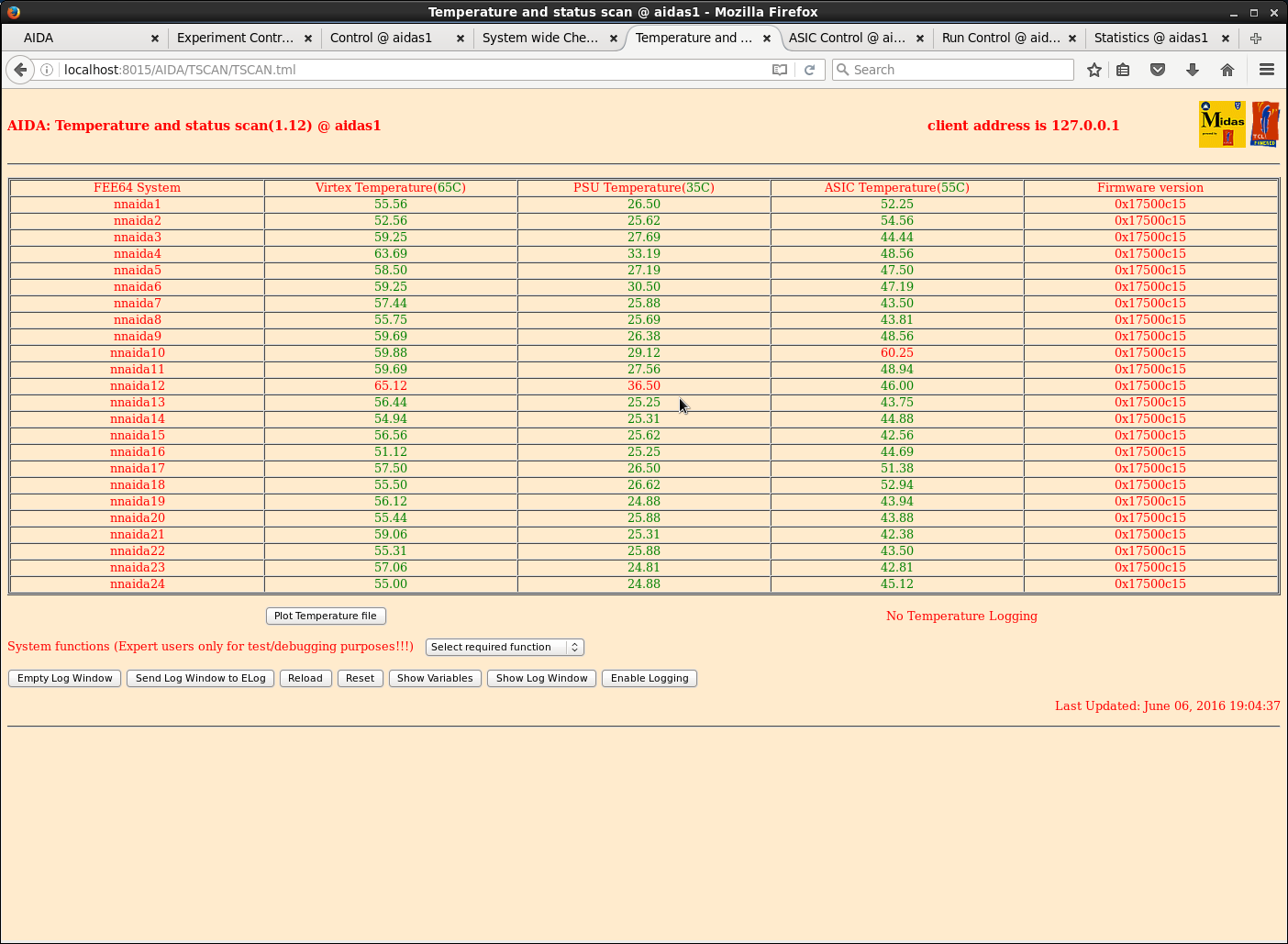
19.00 Power-cycled and rebooted AIDA FEE64s

      Temperatures are lower - see attachment 1

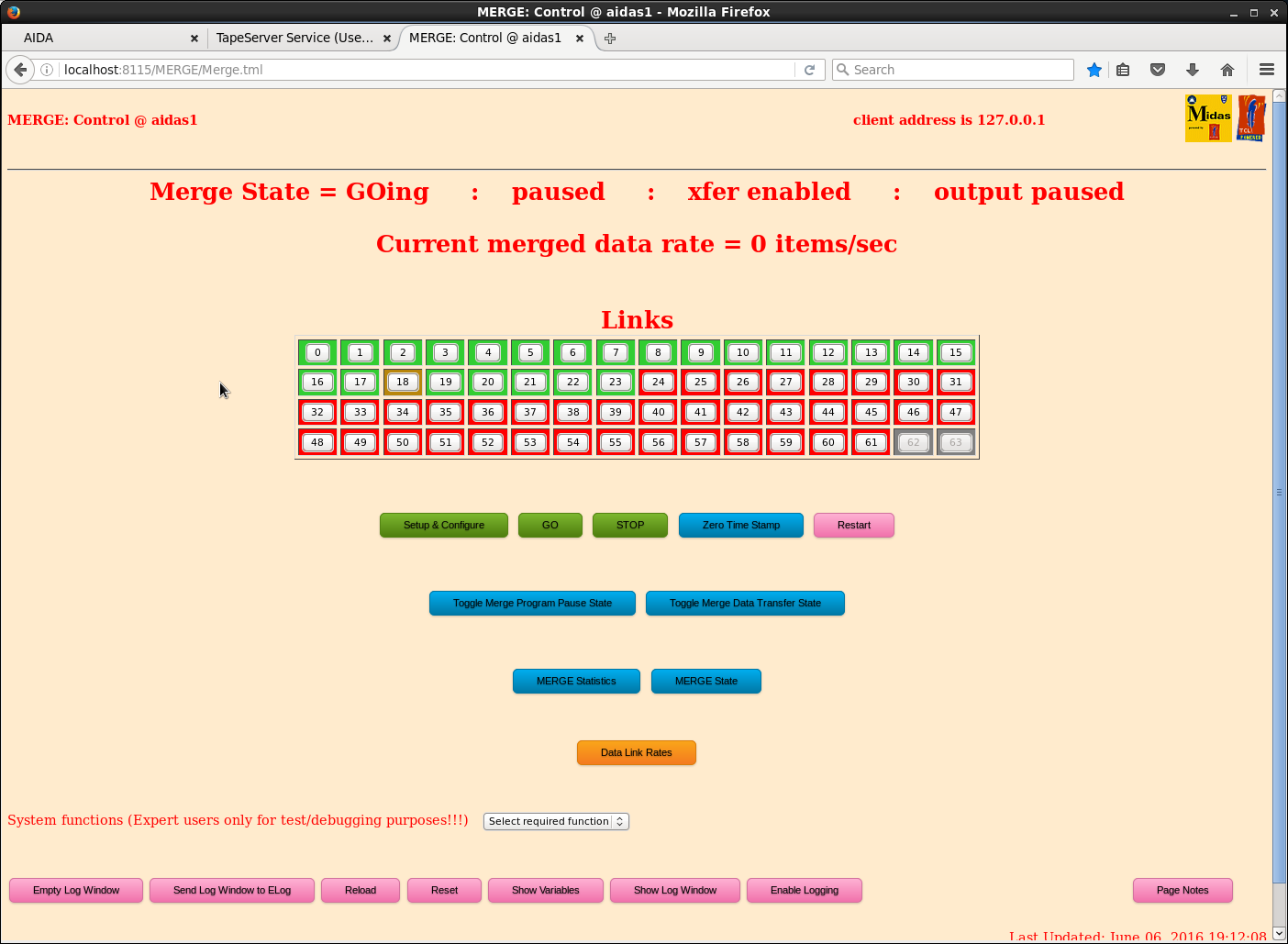
      Re-configured merge to ignore problem child nnaida19 which continues to ReSYNC but fails
to pass SYNC errors counting and ASIC clock timestamp system-wide checks - see attachment 2 |
| Attachment 1: 11.png
|
|
| Attachment 2: 12.png
|
|
|
|
58
|
Mon Apr 20 07:39:49 2015 |
CG, TD | Rasberry Pi : USB ac mains switch + USB serial link to FEE64 console |
It would appear that you cannot reliably startup the Raspberry Pi (nnrpi1)
connected to both the USB ac mains switch *and* the USB-serial link to FEE64
console. This is because the Rly16 Service to the USB ac mains switch expects
to use /dev/ttyUSB0. However this is often assigned (at Raspberry Pi startup)
to the USB-serial link.

You can use the command 'dmesg' to observe device assignments.

Workaround

- connect USB cable from USB ac mains witch to powered USB hub socket
- switch off & disconnect USB-serial cable from powered USB hub socket to FEE64 console
- power up Raspberry Pi (nnrpi1)

At startup the USB ac mains switch should be assigned to the first available
device /dev/ttyUSB0 - as required.

- connect & switch on USB-serial cable from powered USB hub socket to FEE64 console

The USB-serial connection should be assigned to the next available devoce /dev/ttyUSB1
- as required. Further instructions can be found at:

https://elog.ph.ed.ac.uk/AIDA/42 |
|
|
572
|
Thu May 18 03:07:47 2017 |
TD, OH, CB | RasPi system console diagnostics | Connecting monitor to RasPi system console diagnostics
May 18 10:59:38 aidas1 dhcpd: DHCPREQUEST for 10.32.6.189 from b8:27:eb:6b:0a:a0 via p2p1: wrong network.
May 18 10:59:38 aidas1 dhcpd: DHCPNAK on 10.32.6.189 to b8:27:eb:6b:0a:a0 via p2p1
May 18 10:59:38 aidas1 dhcpd: DHCPDISCOVER from b8:27:eb:6b:0a:a0 via p2p1
May 18 10:59:39 aidas1 dhcpd: DHCPOFFER on 10.1.1.117 to b8:27:eb:6b:0a:a0 (npg-monitor) via p2p1
May 18 10:59:39 aidas1 dhcpd: Wrote 0 deleted host decls to leases file.
May 18 10:59:39 aidas1 dhcpd: Wrote 0 new dynamic host decls to leases file.
May 18 10:59:39 aidas1 dhcpd: Wrote 44 leases to leases file.
May 18 10:59:39 aidas1 dhcpd: DHCPREQUEST for 10.1.1.117 (10.1.1.250) from b8:27:eb:6b:0a:a0 (npg-monitor) via p2p1
May 18 10:59:39 aidas1 dhcpd: DHCPACK on 10.1.1.117 to b8:27:eb:6b:0a:a0 (npg-monitor) via p2p1
May 18 11:05:46 aidas1 dhcpd: DHCPREQUEST for 10.1.1.117 from b8:27:eb:6b:0a:a0 (npg-monitor) via p2p1
May 18 11:05:46 aidas1 dhcpd: DHCPACK on 10.1.1.117 to b8:27:eb:6b:0a:a0 (npg-monitor) via p2p1
ssh np-monitor -> could not resolve hostname
ssh 10.1.1.117 -> OK
Connecting remotely to RasPi system console diagnostics
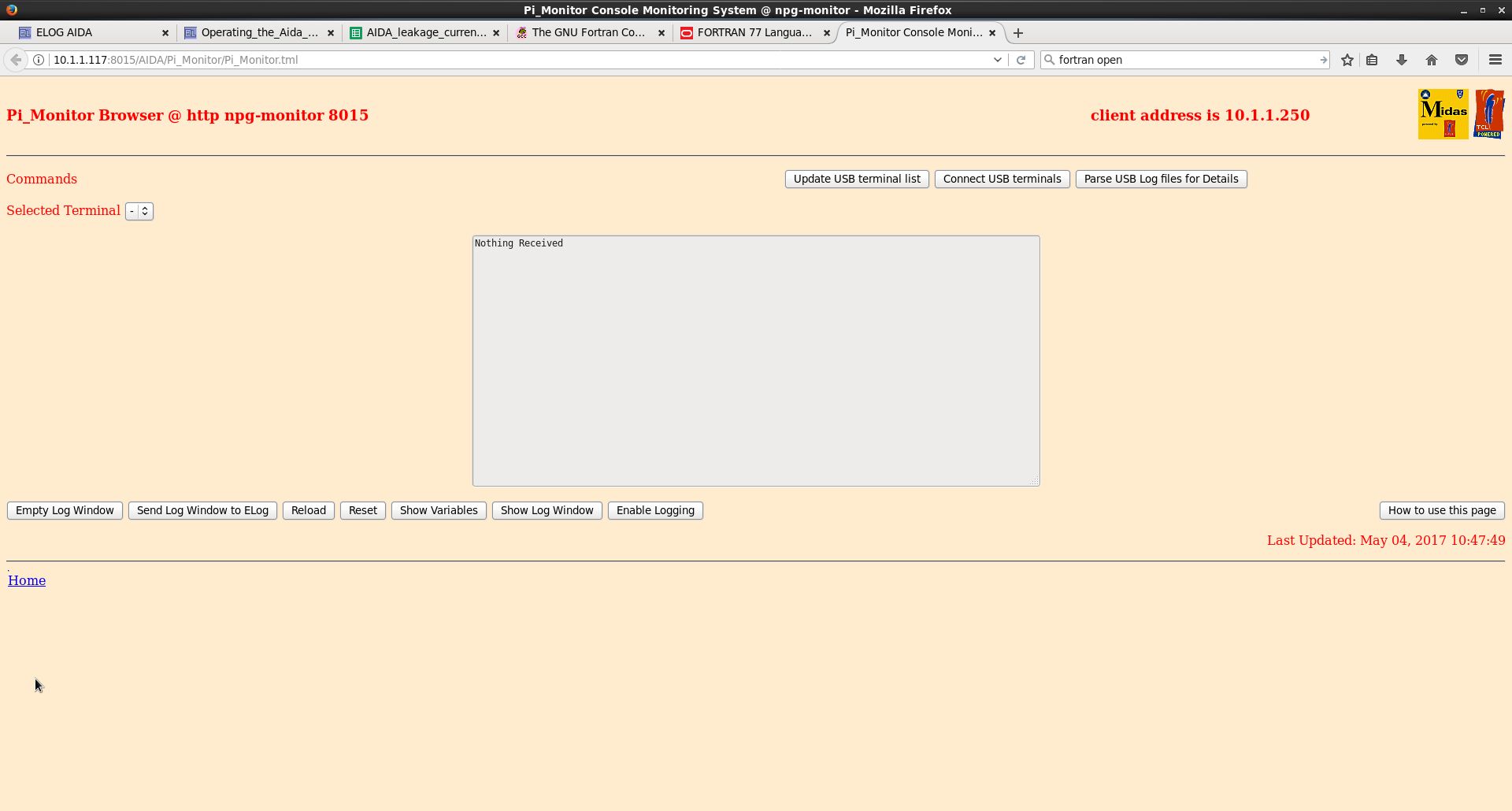
http://10.1.1.117:8015/AIDA/Pi_Monitor/Pi_Monitor.tml -> Looks OK (see attached 1)
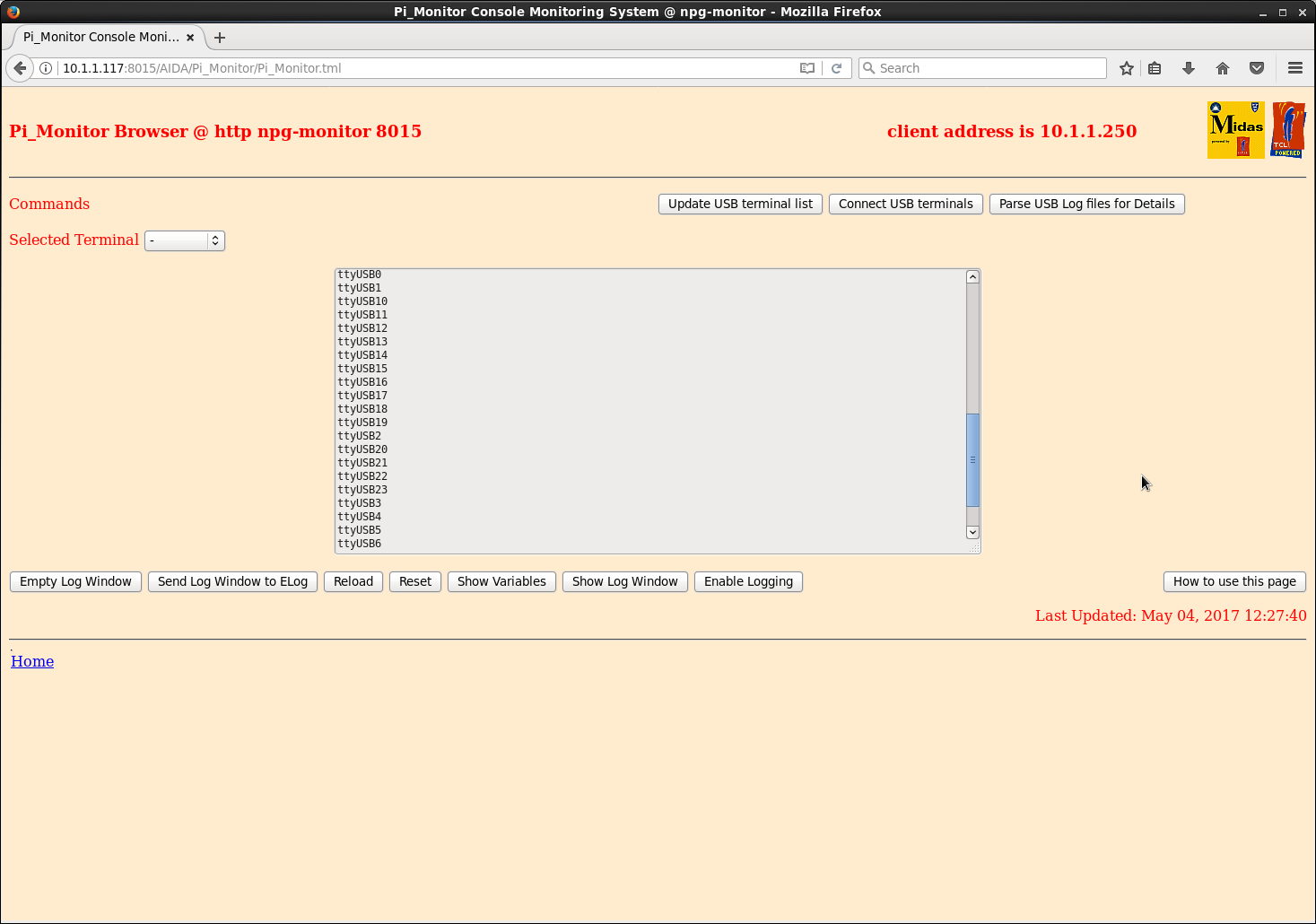
Connected 24 USB cables. 6 cables per HUB. Connected all HUBs to RasPi. Pressed Update USB terminal list. We see 24
USBs (0-23) (see attached 2)
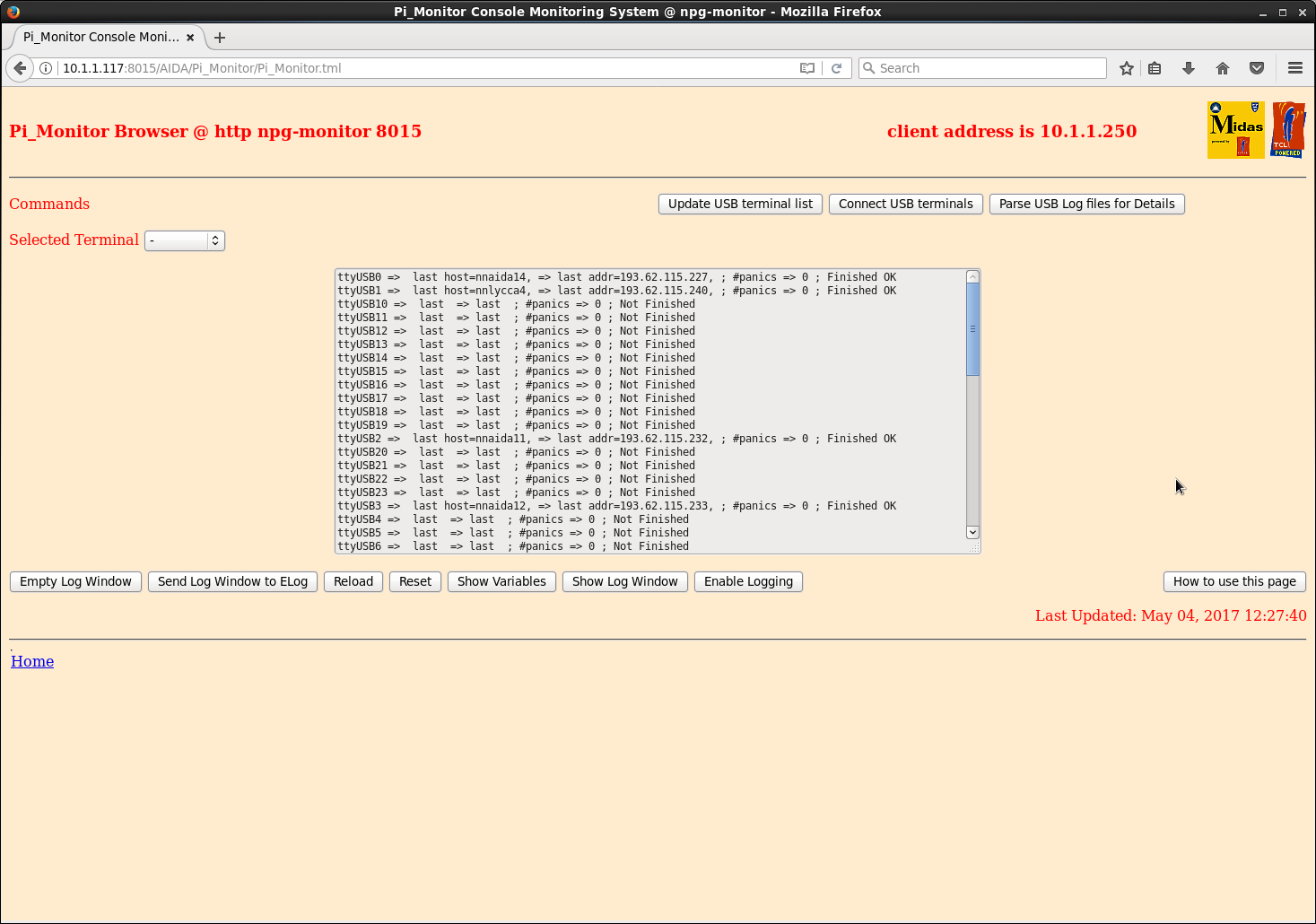
Pressed Connect USB terminal. Parse USB Log file for details. We can only see ttyUSB0,1,2,3. Full log:
ttyUSB0 => last host=nnaida14, => last addr=193.62.115.227, ; #panics => 0 ; Finished OK
ttyUSB1 => last host=nnlycca4, => last addr=193.62.115.240, ; #panics => 0 ; Finished OK
ttyUSB10 => last => last ; #panics => 0 ; Not Finished
ttyUSB11 => last => last ; #panics => 0 ; Not Finished
ttyUSB12 => last => last ; #panics => 0 ; Not Finished
ttyUSB13 => last => last ; #panics => 0 ; Not Finished
ttyUSB14 => last => last ; #panics => 0 ; Not Finished
ttyUSB15 => last => last ; #panics => 0 ; Not Finished
ttyUSB16 => last => last ; #panics => 0 ; Not Finished
ttyUSB17 => last => last ; #panics => 0 ; Not Finished
ttyUSB18 => last => last ; #panics => 0 ; Not Finished
ttyUSB19 => last => last ; #panics => 0 ; Not Finished
ttyUSB2 => last host=nnaida11, => last addr=193.62.115.232, ; #panics => 0 ; Finished OK
ttyUSB20 => last => last ; #panics => 0 ; Not Finished
ttyUSB21 => last => last ; #panics => 0 ; Not Finished
ttyUSB22 => last => last ; #panics => 0 ; Not Finished
ttyUSB23 => last => last ; #panics => 0 ; Not Finished
ttyUSB3 => last host=nnaida12, => last addr=193.62.115.233, ; #panics => 0 ; Finished OK
ttyUSB4 => last => last ; #panics => 0 ; Not Finished
ttyUSB5 => last => last ; #panics => 0 ; Not Finished
ttyUSB6 => last => last ; #panics => 0 ; Not Finished
ttyUSB7 => last => last ; #panics => 0 ; Not Finished
ttyUSB8 => last => last ; #panics => 0 ; Not Finished
ttyUSB9 => last => last ; #panics => 0 ; Not Finished
ttyUSB0
ttyUSB1
ttyUSB10
ttyUSB11
ttyUSB12
ttyUSB13
ttyUSB14
ttyUSB15
ttyUSB16
ttyUSB17
ttyUSB18
ttyUSB19
ttyUSB2
ttyUSB20
ttyUSB21
ttyUSB22
ttyUSB23
ttyUSB3
ttyUSB4
ttyUSB5
ttyUSB6
ttyUSB7
ttyUSB8
ttyUSB9
Ssh'ed to RasPi. There are only four log files in ~/logs/
sudo lsusb -t results in
/: Bus 01.Port 1: Dev 1, Class=root_hub, Driver=dwc_otg/1p, 480M
|__ Port 1: Dev 2, If 0, Class=hub, Driver=hub/5p, 480M
|__ Port 1: Dev 3, If 0, Class=vend., Driver=smsc95xx, 480M
|__ Port 2: Dev 4, If 0, Class=hub, Driver=hub/4p, 480M
|__ Port 1: Dev 5, If 0, Class=vend., Driver=ftdi_sio, 12M
|__ Port 2: Dev 6, If 0, Class=vend., Driver=ftdi_sio, 12M
|__ Port 3: Dev 7, If 0, Class=vend., Driver=ftdi_sio, 12M
|__ Port 4: Dev 8, If 0, Class=hub, Driver=hub/4p, 480M
|__ Port 1: Dev 9, If 0, Class=vend., Driver=ftdi_sio, 12M
|__ Port 2: Dev 10, If 0, Class=vend., Driver=ftdi_sio, 12M
|__ Port 3: Dev 11, If 0, Class=vend., Driver=ftdi_sio, 12M
|__ Port 3: Dev 20, If 0, Class=hub, Driver=hub/4p, 480M
|__ Port 1: Dev 21, If 0, Class=vend., Driver=ftdi_sio, 12M
|__ Port 2: Dev 22, If 0, Class=vend., Driver=ftdi_sio, 12M
|__ Port 3: Dev 23, If 0, Class=vend., Driver=ftdi_sio, 12M
|__ Port 4: Dev 24, If 0, Class=hub, Driver=hub/4p, 480M
|__ Port 1: Dev 25, If 0, Class=vend., Driver=ftdi_sio, 12M
|__ Port 2: Dev 26, If 0, Class=vend., Driver=ftdi_sio, 12M
|__ Port 3: Dev 27, If 0, Class=vend., Driver=ftdi_sio, 12M
|__ Port 4: Dev 12, If 0, Class=hub, Driver=hub/4p, 480M
|__ Port 1: Dev 13, If 0, Class=vend., Driver=ftdi_sio, 12M
|__ Port 2: Dev 14, If 0, Class=vend., Driver=ftdi_sio, 12M
|__ Port 3: Dev 15, If 0, Class=vend., Driver=ftdi_sio, 12M
|__ Port 4: Dev 16, If 0, Class=hub, Driver=hub/4p, 480M
|__ Port 1: Dev 17, If 0, Class=vend., Driver=ftdi_sio, 12M
|__ Port 2: Dev 18, If 0, Class=vend., Driver=ftdi_sio, 12M
|__ Port 3: Dev 19, If 0, Class=vend., Driver=ftdi_sio, 12M
|__ Port 5: Dev 28, If 0, Class=hub, Driver=hub/4p, 480M
|__ Port 1: Dev 29, If 0, Class=vend., Driver=ftdi_sio, 12M
|__ Port 2: Dev 30, If 0, Class=vend., Driver=ftdi_sio, 12M
|__ Port 3: Dev 31, If 0, Class=vend., Driver=ftdi_sio, 12M
|__ Port 4: Dev 32, If 0, Class=hub, Driver=hub/4p, 480M
|__ Port 1: Dev 33, If 0, Class=vend., Driver=ftdi_sio, 12M
|__ Port 2: Dev 34, If 0, Class=vend., Driver=ftdi_sio, 12M
|__ Port 3: Dev 35, If 0, Class=vend., Driver=ftdi_sio, 12M |
| Attachment 1: 105.png
|
|
| Attachment 2: 105.png
|
|
| Attachment 3: 106.png
|
|
|
|
573
|
Thu May 18 09:29:50 2017 |
TD, OH, CB | RasPi system console diagnostics | > Connecting monitor to RasPi system console diagnostics
>
> May 18 10:59:38 aidas1 dhcpd: DHCPREQUEST for 10.32.6.189 from b8:27:eb:6b:0a:a0 via p2p1: wrong network.
> May 18 10:59:38 aidas1 dhcpd: DHCPNAK on 10.32.6.189 to b8:27:eb:6b:0a:a0 via p2p1
> May 18 10:59:38 aidas1 dhcpd: DHCPDISCOVER from b8:27:eb:6b:0a:a0 via p2p1
> May 18 10:59:39 aidas1 dhcpd: DHCPOFFER on 10.1.1.117 to b8:27:eb:6b:0a:a0 (npg-monitor) via p2p1
> May 18 10:59:39 aidas1 dhcpd: Wrote 0 deleted host decls to leases file.
> May 18 10:59:39 aidas1 dhcpd: Wrote 0 new dynamic host decls to leases file.
> May 18 10:59:39 aidas1 dhcpd: Wrote 44 leases to leases file.
> May 18 10:59:39 aidas1 dhcpd: DHCPREQUEST for 10.1.1.117 (10.1.1.250) from b8:27:eb:6b:0a:a0 (npg-monitor) via p2p1
> May 18 10:59:39 aidas1 dhcpd: DHCPACK on 10.1.1.117 to b8:27:eb:6b:0a:a0 (npg-monitor) via p2p1
> May 18 11:05:46 aidas1 dhcpd: DHCPREQUEST for 10.1.1.117 from b8:27:eb:6b:0a:a0 (npg-monitor) via p2p1
> May 18 11:05:46 aidas1 dhcpd: DHCPACK on 10.1.1.117 to b8:27:eb:6b:0a:a0 (npg-monitor) via p2p1
>
>
> ssh np-monitor -> could not resolve hostname
> ssh 10.1.1.117 -> OK
>
> Connecting remotely to RasPi system console diagnostics
>
> http://10.1.1.117:8015/AIDA/Pi_Monitor/Pi_Monitor.tml -> Looks OK (see attached 1)
> Connected 24 USB cables. 6 cables per HUB. Connected all HUBs to RasPi. Pressed Update USB terminal list. We see 24
> USBs (0-23) (see attached 2)
> Pressed Connect USB terminal. Parse USB Log file for details. We can only see ttyUSB0,1,2,3. Full log:
>
> ttyUSB0 => last host=nnaida14, => last addr=193.62.115.227, ; #panics => 0 ; Finished OK
> ttyUSB1 => last host=nnlycca4, => last addr=193.62.115.240, ; #panics => 0 ; Finished OK
> ttyUSB10 => last => last ; #panics => 0 ; Not Finished
> ttyUSB11 => last => last ; #panics => 0 ; Not Finished
> ttyUSB12 => last => last ; #panics => 0 ; Not Finished
> ttyUSB13 => last => last ; #panics => 0 ; Not Finished
> ttyUSB14 => last => last ; #panics => 0 ; Not Finished
> ttyUSB15 => last => last ; #panics => 0 ; Not Finished
> ttyUSB16 => last => last ; #panics => 0 ; Not Finished
> ttyUSB17 => last => last ; #panics => 0 ; Not Finished
> ttyUSB18 => last => last ; #panics => 0 ; Not Finished
> ttyUSB19 => last => last ; #panics => 0 ; Not Finished
> ttyUSB2 => last host=nnaida11, => last addr=193.62.115.232, ; #panics => 0 ; Finished OK
> ttyUSB20 => last => last ; #panics => 0 ; Not Finished
> ttyUSB21 => last => last ; #panics => 0 ; Not Finished
> ttyUSB22 => last => last ; #panics => 0 ; Not Finished
> ttyUSB23 => last => last ; #panics => 0 ; Not Finished
> ttyUSB3 => last host=nnaida12, => last addr=193.62.115.233, ; #panics => 0 ; Finished OK
> ttyUSB4 => last => last ; #panics => 0 ; Not Finished
> ttyUSB5 => last => last ; #panics => 0 ; Not Finished
> ttyUSB6 => last => last ; #panics => 0 ; Not Finished
> ttyUSB7 => last => last ; #panics => 0 ; Not Finished
> ttyUSB8 => last => last ; #panics => 0 ; Not Finished
> ttyUSB9 => last => last ; #panics => 0 ; Not Finished
>
> ttyUSB0
> ttyUSB1
> ttyUSB10
> ttyUSB11
> ttyUSB12
> ttyUSB13
> ttyUSB14
> ttyUSB15
> ttyUSB16
> ttyUSB17
> ttyUSB18
> ttyUSB19
> ttyUSB2
> ttyUSB20
> ttyUSB21
> ttyUSB22
> ttyUSB23
> ttyUSB3
> ttyUSB4
> ttyUSB5
> ttyUSB6
> ttyUSB7
> ttyUSB8
> ttyUSB9
>
> Ssh'ed to RasPi. There are only four log files in ~/logs/
>
> sudo lsusb -t results in
>
> /: Bus 01.Port 1: Dev 1, Class=root_hub, Driver=dwc_otg/1p, 480M
> |__ Port 1: Dev 2, If 0, Class=hub, Driver=hub/5p, 480M
> |__ Port 1: Dev 3, If 0, Class=vend., Driver=smsc95xx, 480M
> |__ Port 2: Dev 4, If 0, Class=hub, Driver=hub/4p, 480M
> |__ Port 1: Dev 5, If 0, Class=vend., Driver=ftdi_sio, 12M
> |__ Port 2: Dev 6, If 0, Class=vend., Driver=ftdi_sio, 12M
> |__ Port 3: Dev 7, If 0, Class=vend., Driver=ftdi_sio, 12M
> |__ Port 4: Dev 8, If 0, Class=hub, Driver=hub/4p, 480M
> |__ Port 1: Dev 9, If 0, Class=vend., Driver=ftdi_sio, 12M
> |__ Port 2: Dev 10, If 0, Class=vend., Driver=ftdi_sio, 12M
> |__ Port 3: Dev 11, If 0, Class=vend., Driver=ftdi_sio, 12M
> |__ Port 3: Dev 20, If 0, Class=hub, Driver=hub/4p, 480M
> |__ Port 1: Dev 21, If 0, Class=vend., Driver=ftdi_sio, 12M
> |__ Port 2: Dev 22, If 0, Class=vend., Driver=ftdi_sio, 12M
> |__ Port 3: Dev 23, If 0, Class=vend., Driver=ftdi_sio, 12M
> |__ Port 4: Dev 24, If 0, Class=hub, Driver=hub/4p, 480M
> |__ Port 1: Dev 25, If 0, Class=vend., Driver=ftdi_sio, 12M
> |__ Port 2: Dev 26, If 0, Class=vend., Driver=ftdi_sio, 12M
> |__ Port 3: Dev 27, If 0, Class=vend., Driver=ftdi_sio, 12M
> |__ Port 4: Dev 12, If 0, Class=hub, Driver=hub/4p, 480M
> |__ Port 1: Dev 13, If 0, Class=vend., Driver=ftdi_sio, 12M
> |__ Port 2: Dev 14, If 0, Class=vend., Driver=ftdi_sio, 12M
> |__ Port 3: Dev 15, If 0, Class=vend., Driver=ftdi_sio, 12M
> |__ Port 4: Dev 16, If 0, Class=hub, Driver=hub/4p, 480M
> |__ Port 1: Dev 17, If 0, Class=vend., Driver=ftdi_sio, 12M
> |__ Port 2: Dev 18, If 0, Class=vend., Driver=ftdi_sio, 12M
> |__ Port 3: Dev 19, If 0, Class=vend., Driver=ftdi_sio, 12M
> |__ Port 5: Dev 28, If 0, Class=hub, Driver=hub/4p, 480M
> |__ Port 1: Dev 29, If 0, Class=vend., Driver=ftdi_sio, 12M
> |__ Port 2: Dev 30, If 0, Class=vend., Driver=ftdi_sio, 12M
> |__ Port 3: Dev 31, If 0, Class=vend., Driver=ftdi_sio, 12M
> |__ Port 4: Dev 32, If 0, Class=hub, Driver=hub/4p, 480M
> |__ Port 1: Dev 33, If 0, Class=vend., Driver=ftdi_sio, 12M
> |__ Port 2: Dev 34, If 0, Class=vend., Driver=ftdi_sio, 12M
> |__ Port 3: Dev 35, If 0, Class=vend., Driver=ftdi_sio, 12M
Can you let me know when you power-cycled the FEEs please ? Or maybe just do a stop/go.
If there is nothing to log from the consoles then the Pi won't have made a log file.
The software opens and closes the log file each time a line of text comes in from the FEE64. |
|
|
574
|
Thu May 18 09:46:36 2017 |
TD, OH, CB | RasPi system console diagnostics |
> Can you let me know when you power-cycled the FEEs please ? Or maybe just do a stop/go.
> If there is nothing to log from the consoles then the Pi won't have made a log file.
> The software opens and closes the log file each time a line of text comes in from the FEE64.

The most recent power cycle of the FEE64s was May 5

DAQ stop/go per your request - see Elog https://elog.ph.ed.ac.uk/AIDA/571 |
|
|
77
|
Tue Apr 28 11:22:25 2015 |
VP | RPI | replace RPI with model B+. 4 USB ports + 4 port switch
The RPI system has been replaced by a model B+ which has 4 internal USB ports
Connects to:
AIDA Power Control USB1
Serial port to FEE for console output USB0
CAEN N1419 HV power supply USB2
All 3 connections use a USB => RS232 convert chip. The hardware cannot simply tell these apart. The USB ports assigned should however remain constant as long as the connections remain the same.
Power up RPI system.
At end of boot check the last couple of lines on the console for the assigned IP address. Should be 10.1.1.114.
login using ID npg Password is the same as for the data acq system.
then type startx
When the graphical console appears.
Firstly click on the icon TclHttpd Server to start the web server.
Start the web browser (Icon immediately to the right of the MENU icon at extreme left of the top row).
Connect to http://localhost:8015/AIDA/Rly16/Rly16.tml (the browser will have this in its recently used list)
The software now checks the potential USB devices for one which responds correctly to a request for the firmware in the AIDA Power Control box.
The GUI shows the port in use. Currently it is /dev/ttyUSB1
Even if the hardware changes the software should find the correct port to use but this suggests the other uses will also have changed (you may need to use dmesg to locate which ports are assigned)
You can use the icon PuTTY Client to start the putty program.
connect and open for USB0 to monitor the FEE64 console
connect and open for USB2 to control the CAEN N1419
You can connect from a remote terminal using ssh -X -l npg nnrpi1
However to start putty from the command line you will need
sudo chmod 660 /dev/ttyUSB0; putty (for the FEE console)
or
sudo chmod 660 /dev/ttyUSB2; putty (for the N1419 control)
|
|
|
131
|
Thu Dec 10 04:56:08 2015 |
CG, AE | RIKEN progress - first day and a half | 08/12/15 - Day 0.5
Test fitted new snout to snout base
- the holes in the base of the just-shipped section all line up with those in the corresponding part just taken off.
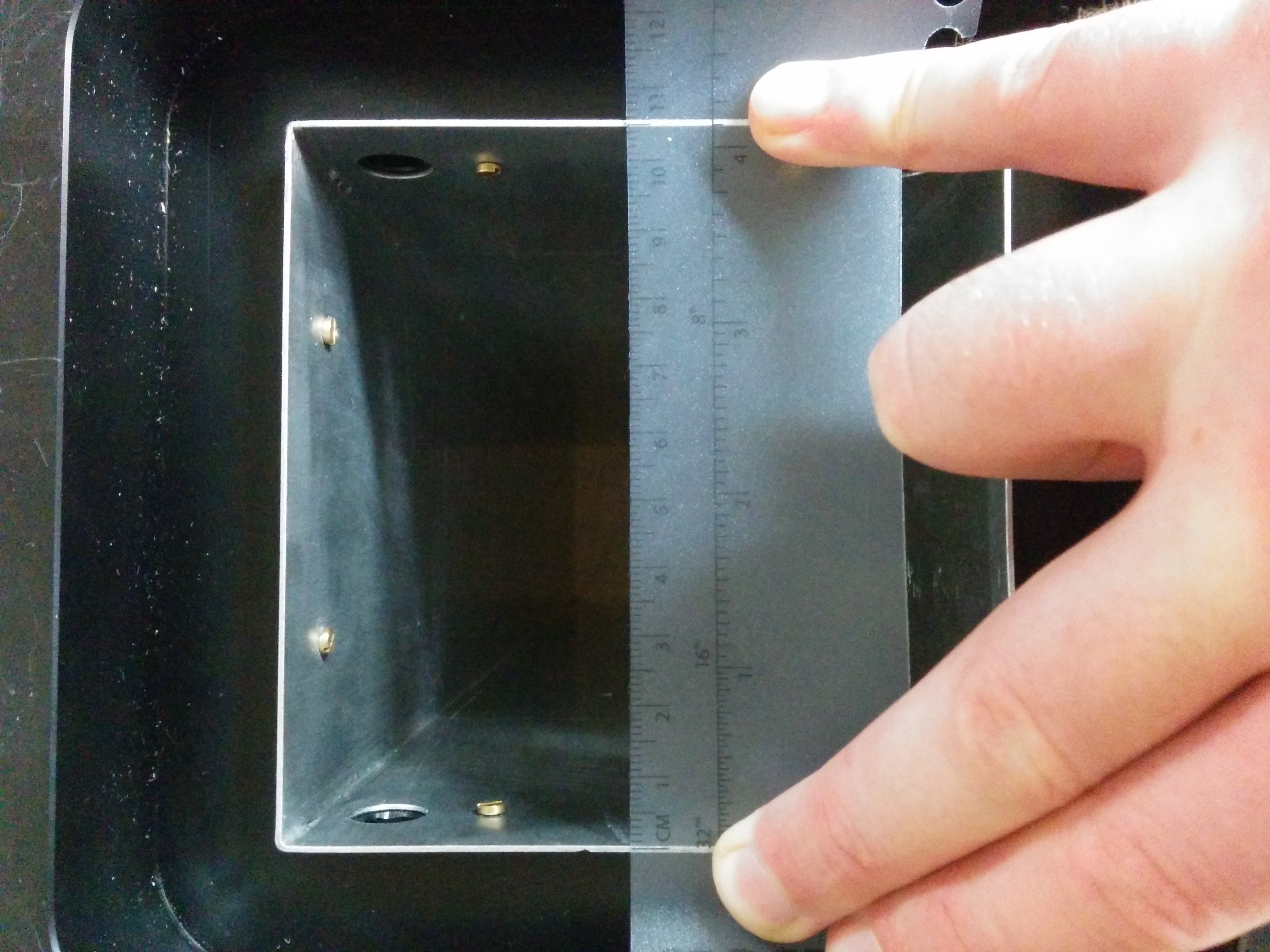
- however, the raised corners of the rear metal plate (around the rods), which sits in the downstream end of the Al section of the snout now presents a conflict.
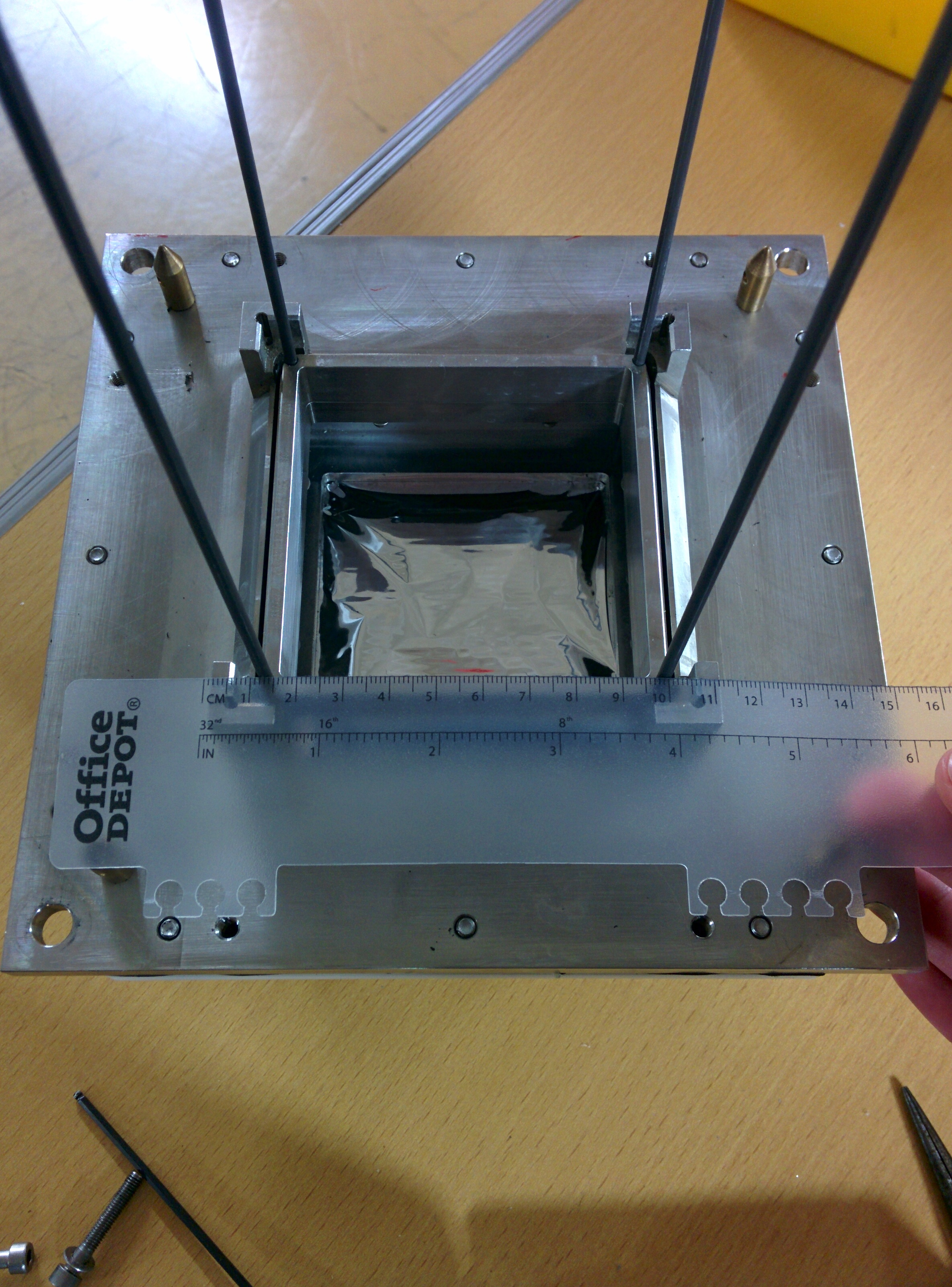
- the old snout sat inside the raised section but, now that the side length of the snout has been increased, there is a conflict between the snout and the raised portion (see attached photos), which means the snout will not seat properly in the base section.
Checked for electrical connection between cooling crate and FEE mezzanines
- connection present in all FEEs with resistance < 2 Ohms for most, and the maximum at 1 kOhm for one of the FEE modules.
09/12/15
Moved AIDA back into rough experimental position, re-cabled setup and powered on complete system.
Chiller levels ok, no leaks after ~1hr of operation. Temperatures all remained low and stable.
|
| Attachment 1: 2015-12-08_16.19.16.jpg
|
|
| Attachment 2: 2015-12-08_16.16.30.jpg
|
|
|
|
138
|
Thu Jan 7 13:55:24 2016 |
CG | RIKEN progress - 15/12/15 (late) | Tues 15/12/15
Swapped previously tripped detector (3131-11) on to kaptons already in place for (working) 2977-15 and attempted to bias
- i.e. made no changes (FEEs, or jumpers etc) to the known working setup of 2977-15, just replaced the detector with 3131-11
> still trips at ~6-7V
> conclusion: He's dead Jim.
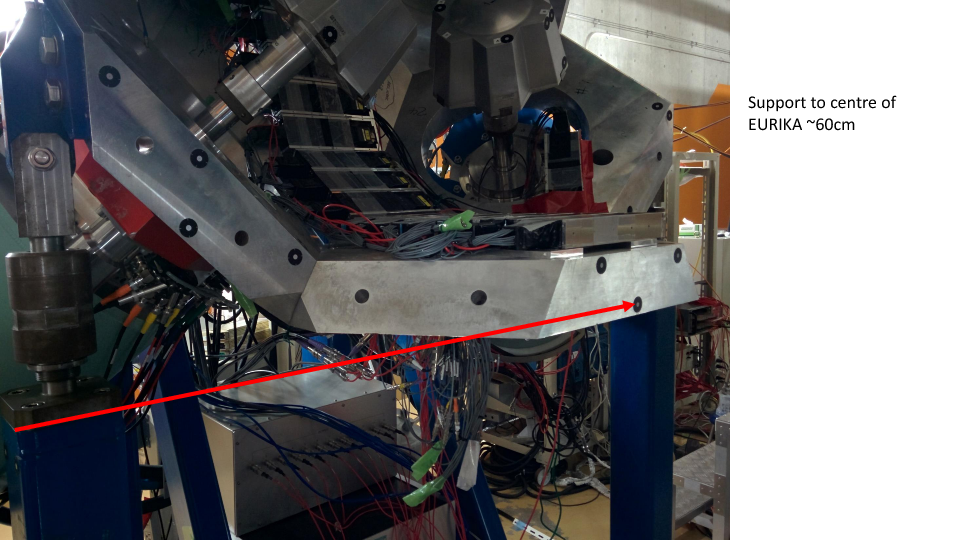
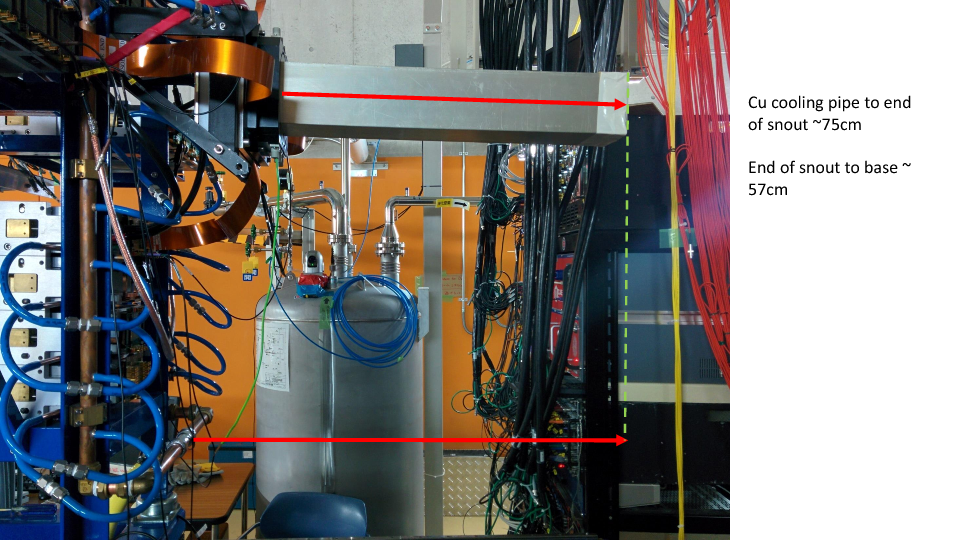
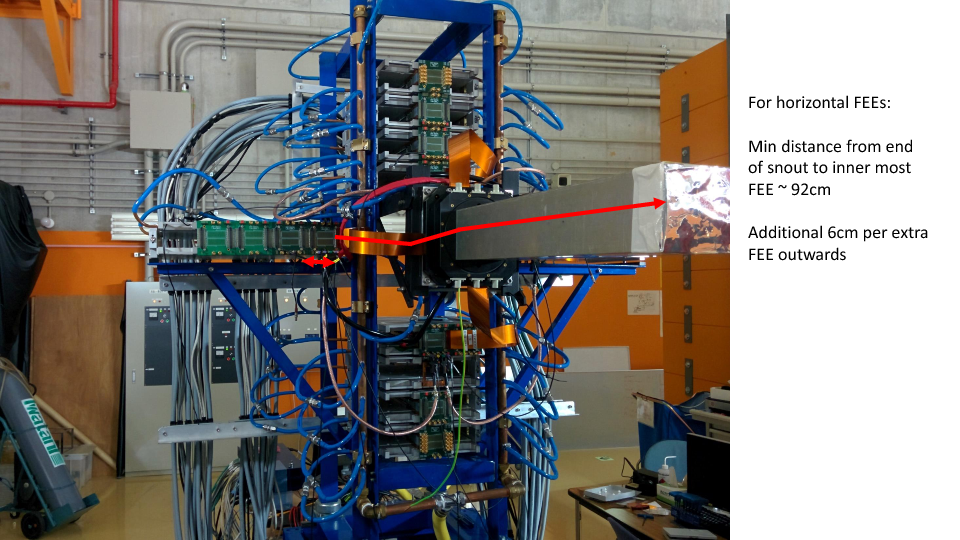
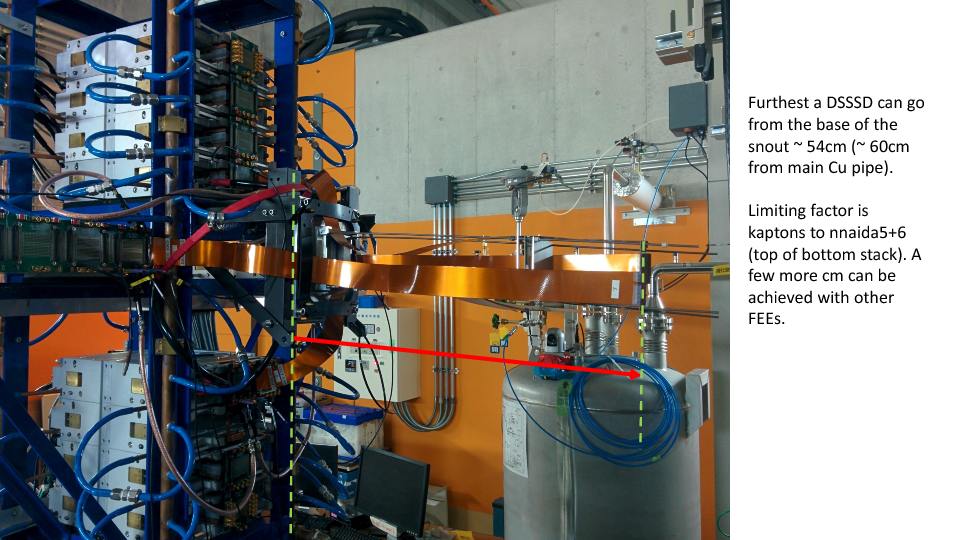
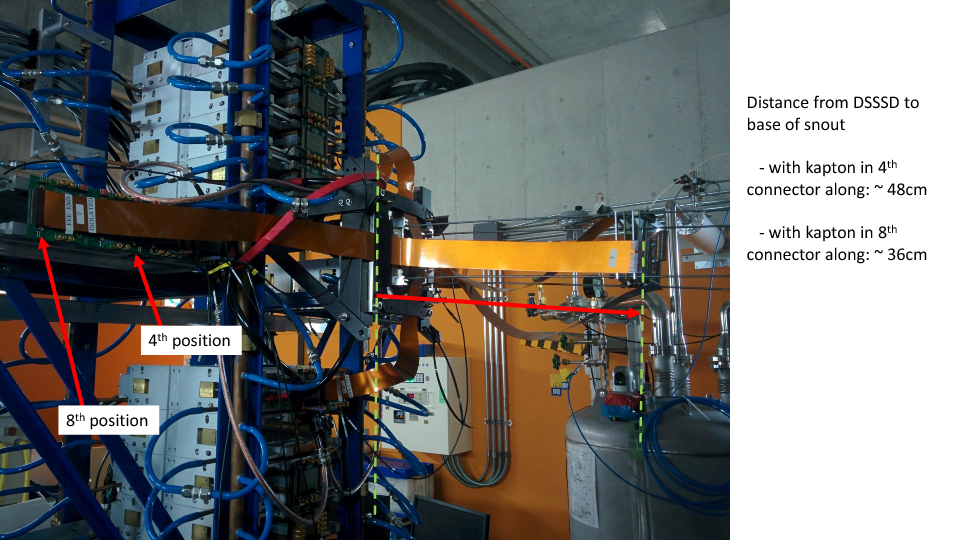
Took some measurements of rough max positions of DSSSDs from the FEEs with the current 90cm kaptons (pictures in attached PowerPoint and PDF)
- Vertical EURIKA support to centre of EURIKA ~ 60cm
- AIDA Cu cooling pipe to end of snout ~ 75cm
- Base of snout to end = 57cm
- Min distance from end of snout to inner most FEE (horizontal FEEs) ~ 92cm
- additional 6cm per extra adapter
- Further DSSSD can go from base of snout ~ 54cm (60cm from Cu pipe)
- limiting factor is kaptons to nnaida5+6 (bottom stack). Still a few more cm slack in the other kaptons.
- For kaptons in 4th horizontal connector (furthest slot in 2nd adapter), detector 48cm from base of snout.
- For kaptons in 8th horizontal connector (furthest slot in 4th adapter), detector 36cm from base of snout.
Note (PCS): In disconnecting things to check ground connections, and when putting AIDA away before I left, I noticed ~20% of the network cables are of the shielded variety. I know this didn't seem to make any difference in the setup at DL, but I don't know how concerned you are about this and if you would suggest changing them in future.
|
| Attachment 1: AIDA_measurements_-_Dec2015.pdf
|
|
| Attachment 2: AIDA_measurements_-_Dec2015.pptx
|
|
|
132
|
Sat Dec 12 02:12:17 2015 |
CG, AE, VH | RIKEN progress | Stripped down contents of AIDA NIM bins to only what is required by AIDA.
Now have BNC PB-5 pulser, sum and invert module, single and quad Caen HV supplies in the top crate and the MACBs in the bottom crate.
Removed were FIFO, leading edge discriminator and a quad coincidence module, all used in the DAQ integration.
Smallest dial on pulser potentiometer was round at an unlikely number, seems to have been knocked.
- connected to scope and consecutive values on the biggest dial does not produce integer multiples of the lowest setting -> needs sorting out for future pulser walkthroughs.
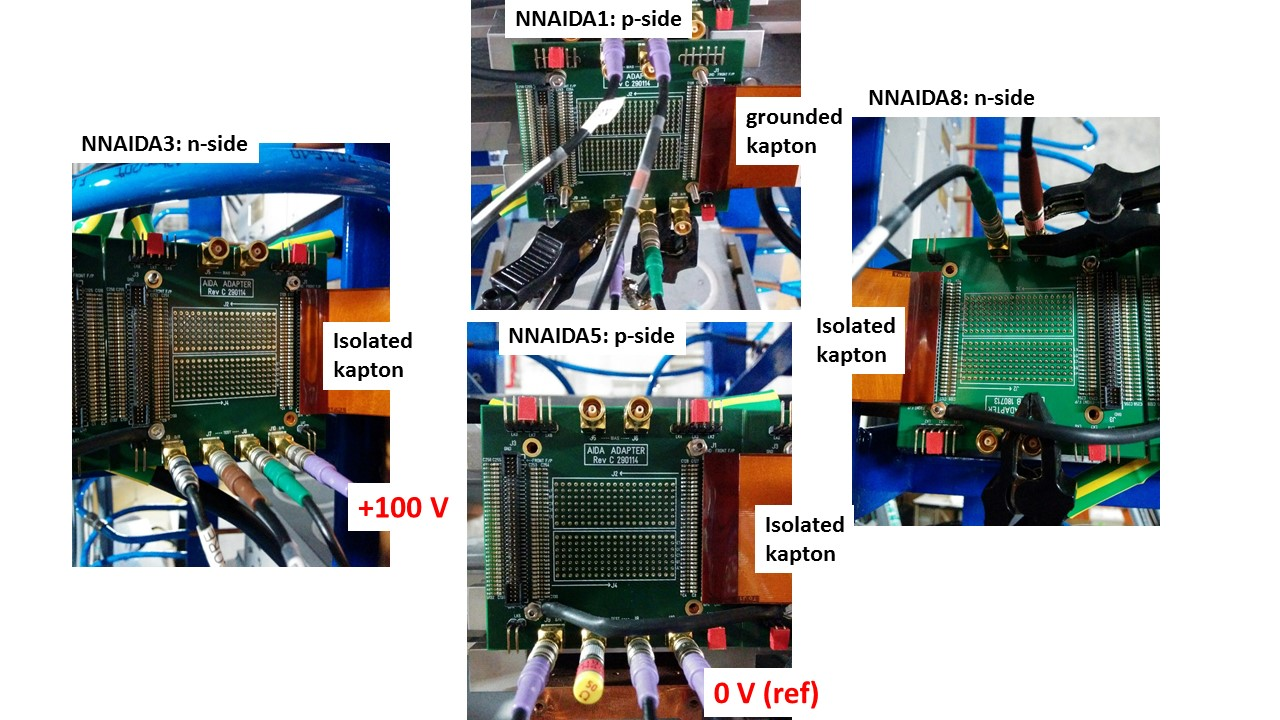
Tested tripped detector from Apr/May (BB18-1000 3131-11) with kaptons connected to nnaida1,3,5,8 (GND to nnaida1), +ve HV with braid to front strips via nnaida5 and core to back strips via nnaida3.
- biased to +150V with a stable leakage current of 9.5uA in a very warm room.
- stable for ~2mins then I_L jumped to 20uA and detector tripped.
- subsequently unable to successfully bias the detector. Trips on ramping up around 15-20V every time.
- no visible damage or broken bond wire.
Initial conclusion is this detector is broken (but see bellow). Then tried with another (BB18-1000 2977-15, pre-prod)
- encountered similar problems in that the detector tripped once at ~+50V and then kept tripping around +12V thereafter.
This was all carried out with the jumper combination already present from the end of the run in May - Lk1,3,5+7 had jumpers on on all FEEs, but we were unable to bias detector.
Removed all jumpers and 2977-15 biased successfully to ~75V (with 10.12 uA leakage current). Pulser resolution ~700 ch FWHM for NNAIDA 1 (p-side); 20 ch for NNAIDA2 (no DSSD connected)
Setting1:
- Add jumpers LK1 to nnaida1 (w/grounded Kapton cable), LK3 to nnaida3 (+75 V), LK1 and LK3 to nnaida5 (ref. 0V), and LK3 to nnaida8 (revB PCB). See attachment 1.
- Biased with 10.44 uA leakage current @ 75V
- About half of the Cu-braids with ground connections across FEEs are loose (clamps had snapped while moving table/mounting DSSD).
- Using 2015Apr30-diode-mod2 ASIC settings.
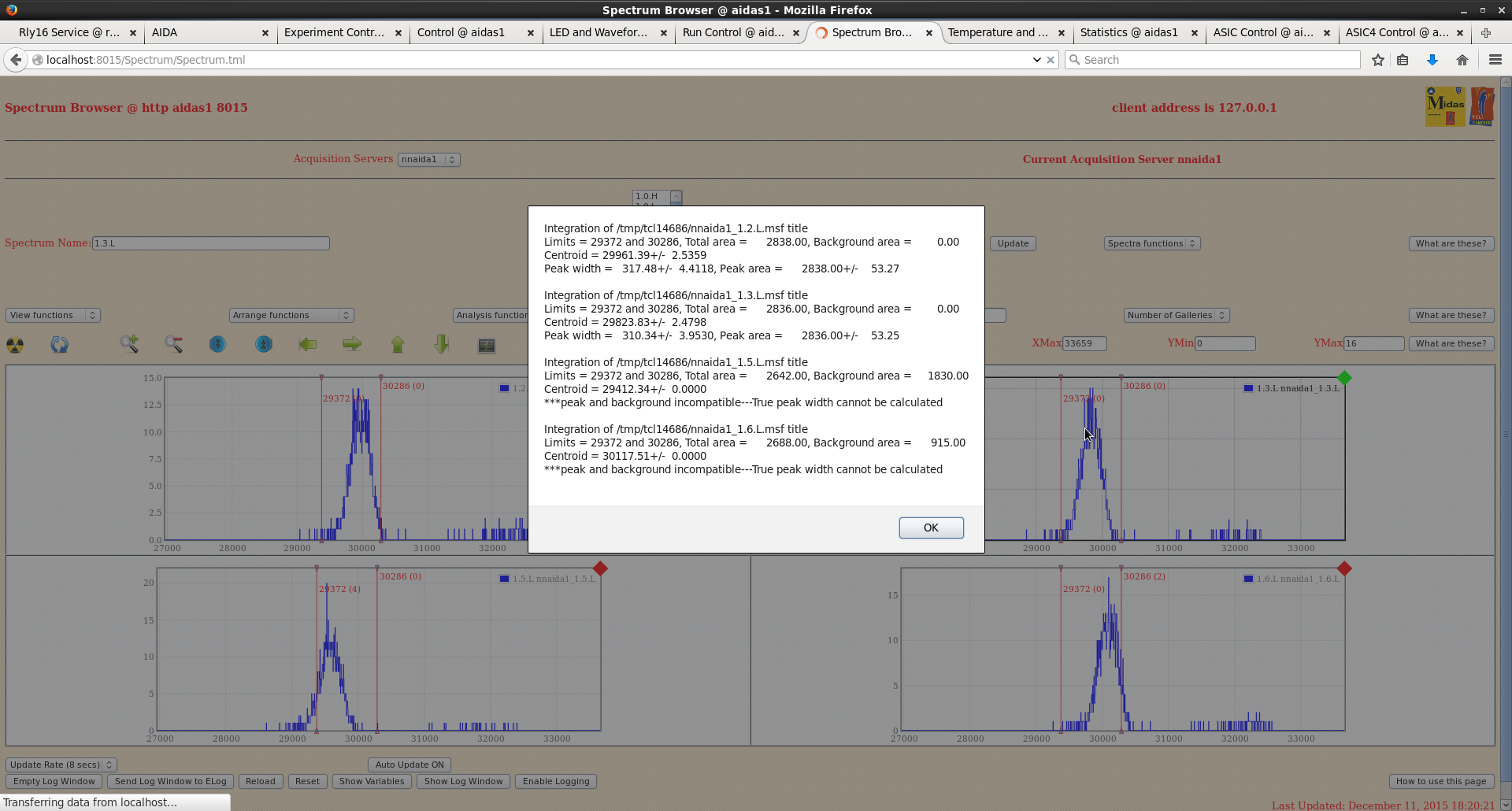
- Resolution of sample channels (FWHM): nnaida1: 320 ch, nnaida3: 500 ch, nnaida5: 280 ch, nnaida8: 180 ch.
Tried a couple more jumper settings:
- nnaida1: LK1+LK3, nnaida3: LK3, nnaida5: LK1+LK3, nnaida8: LK1+LK3: overcurrent with a couple of volts (short circuit, likely LK1 in nnaida8).
- nnaida1: LK1+LK3, nnaida3: LK3, nnaida5: LK1+LK3, nnaida8: LK3: detector trips (I>20uA) at about 18 V, and after tripping first time there is a steeper increase of I vs V (~20uA at ~ 9V).
Setting2:
- Same jumpers as setting 1: nnaida1: LK1, nnaida3: LK3, nnaida5: LK1+LK3, nnaida8: LK3.
- Connect all Cu-braid cables to ground the Cu blocks of first two rings of FEEs.
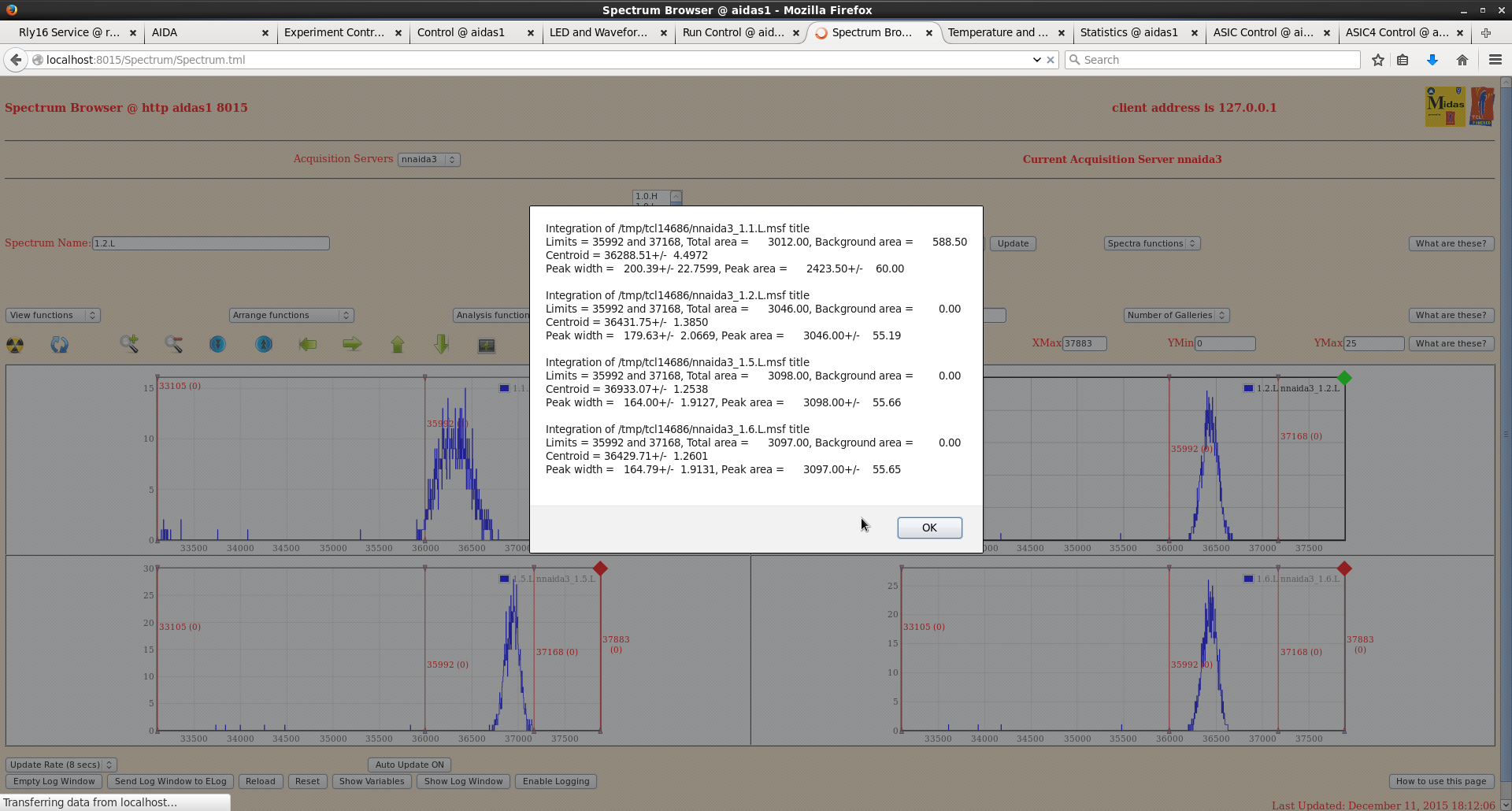
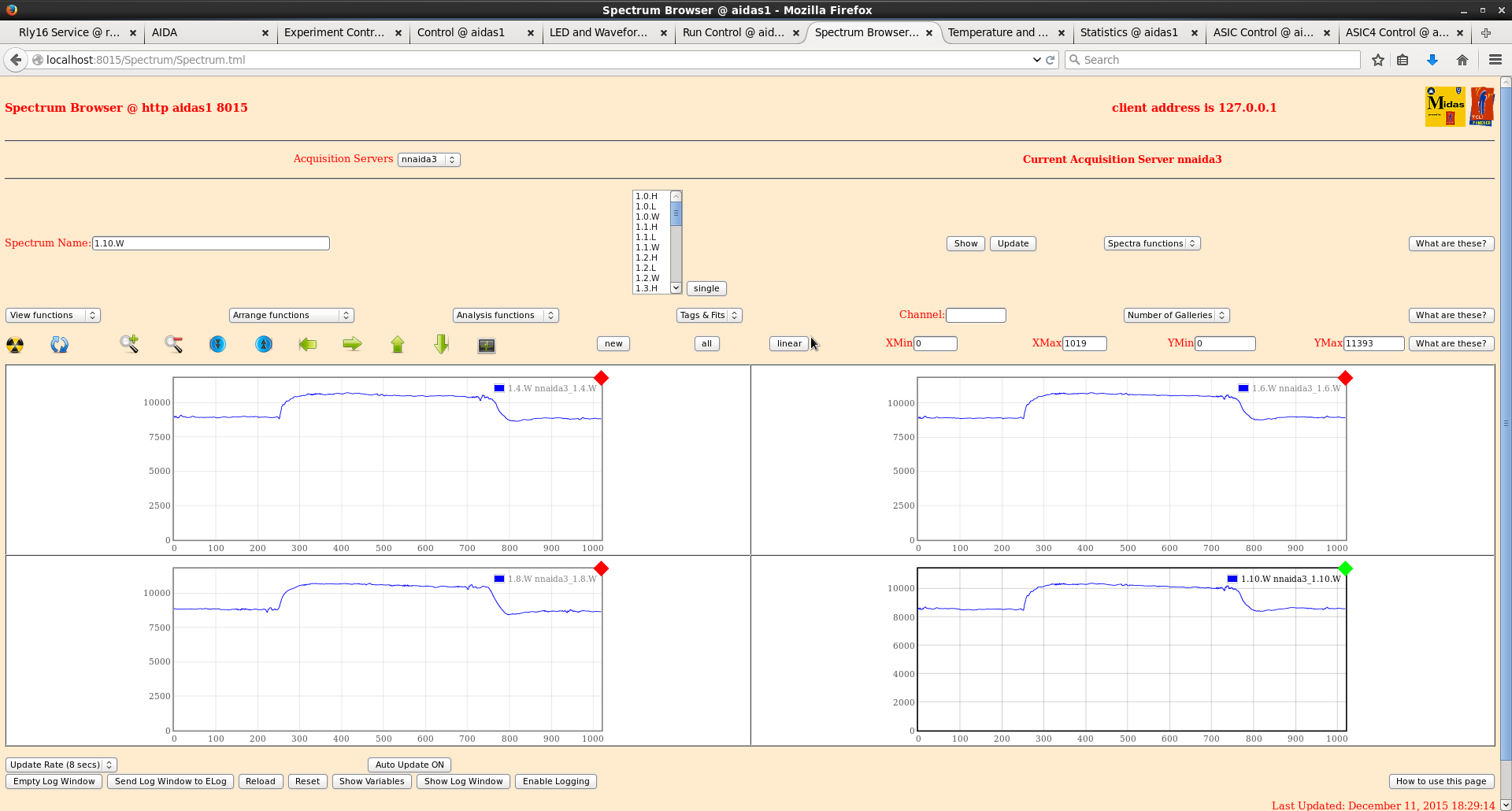
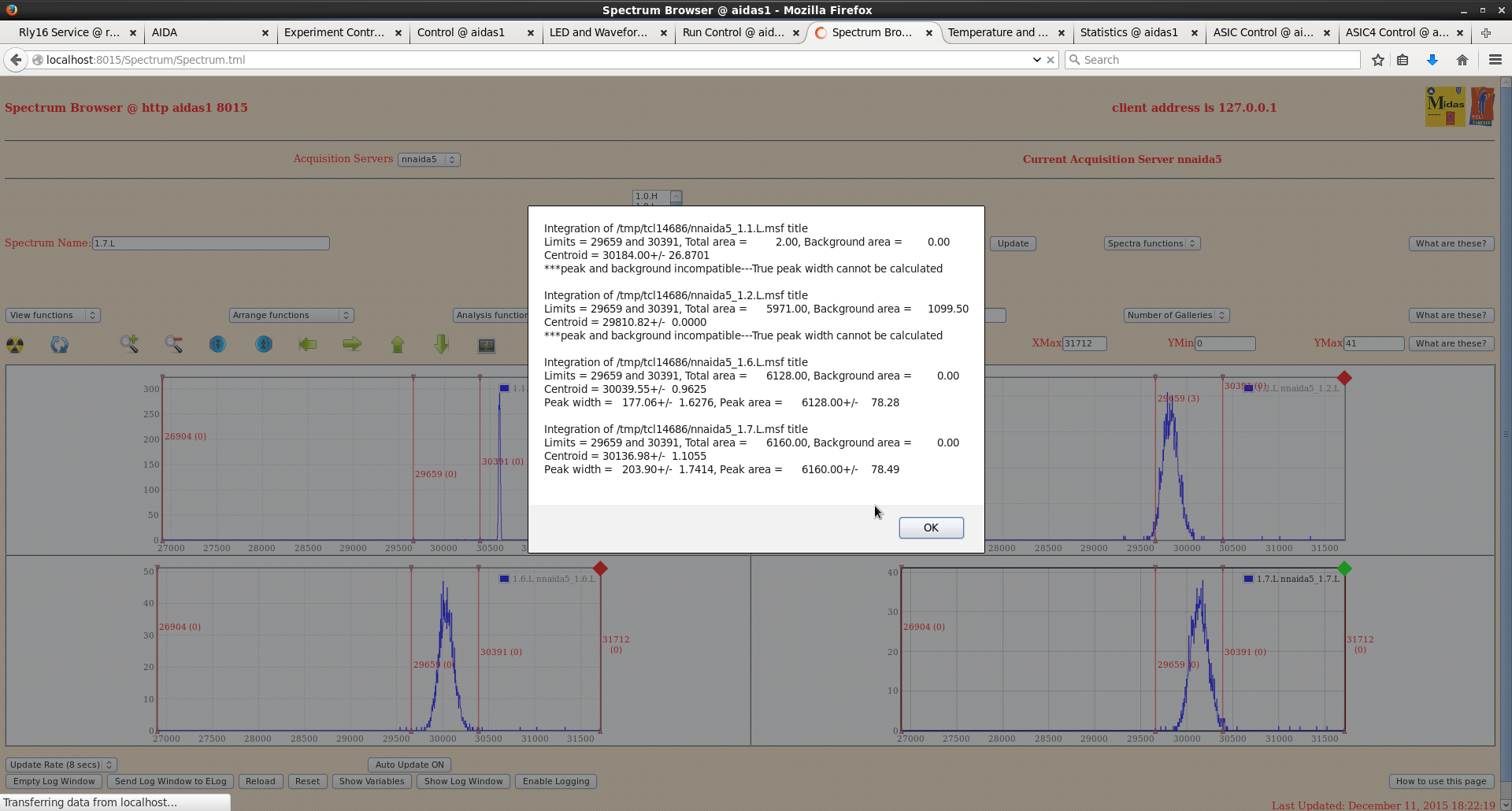
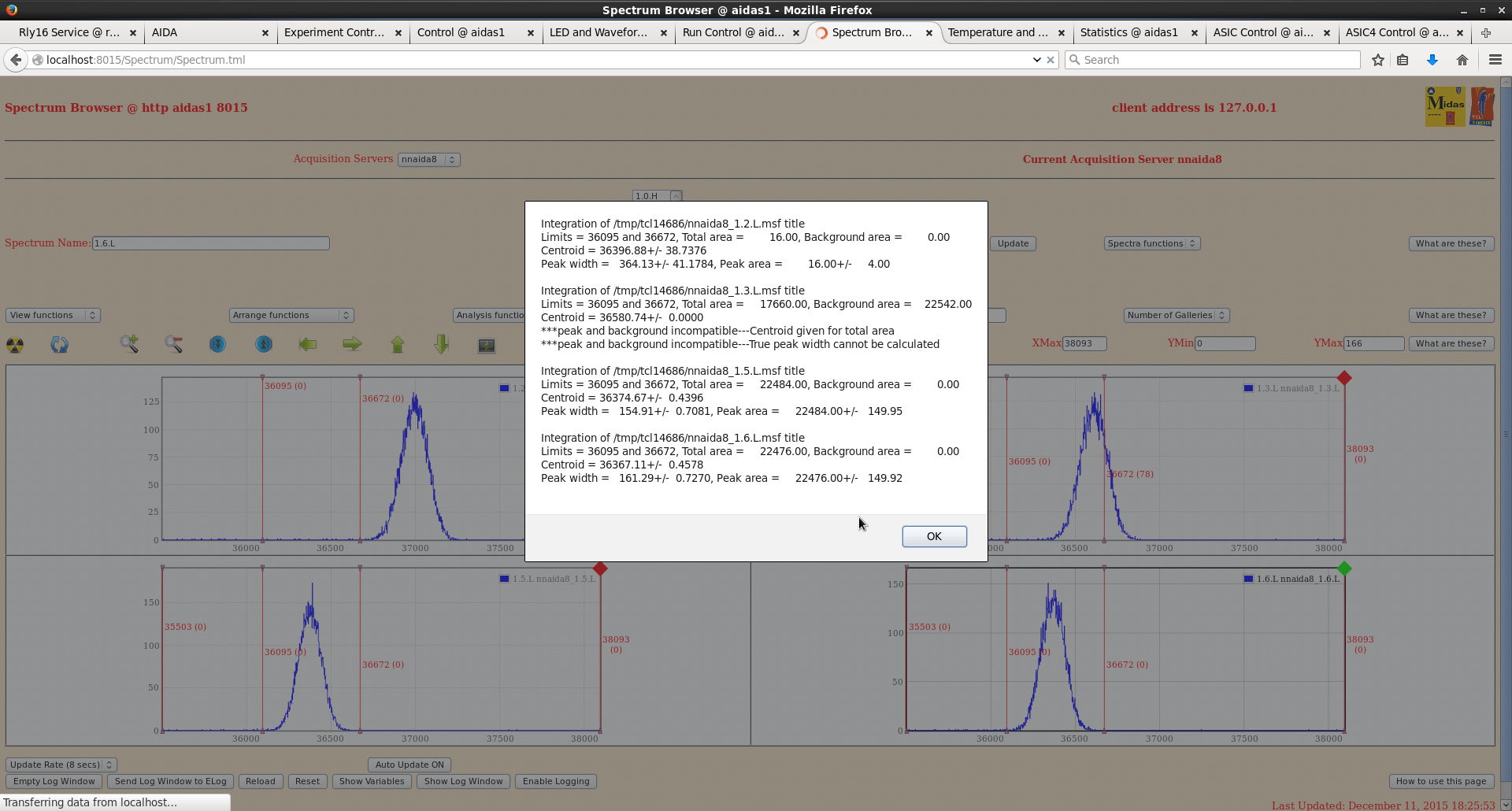
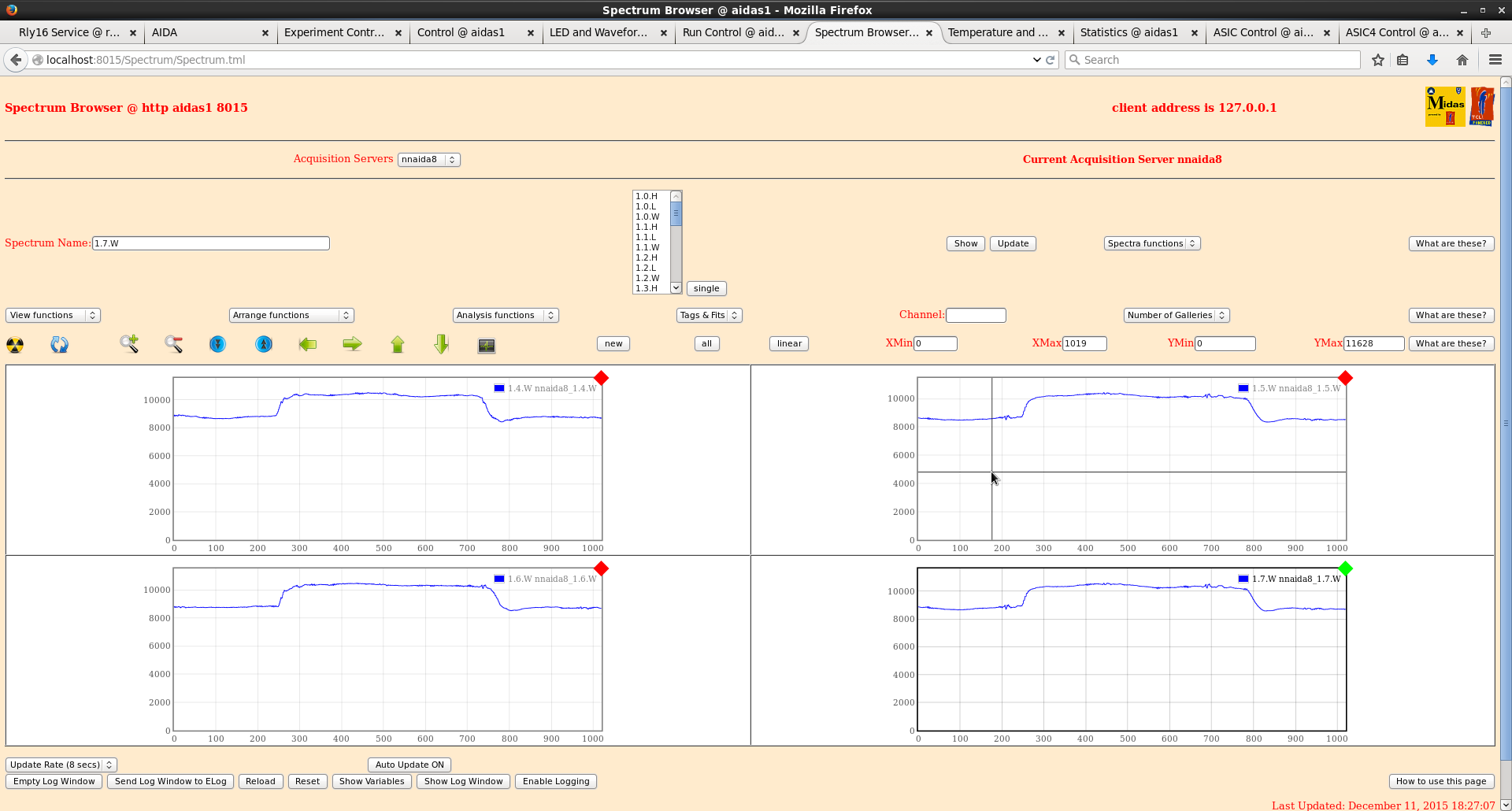
- The resolution in all FEEs improved to about 170ch FWHM, except for nnaida1 (with grounded Kapton cable): nnaida1: 310 ch, nnaida3: 170 ch, nnaida5: 180 ch, nnaida8: 160 ch. See attached sample spectra and waveforms.
|
| Attachment 1: Dec2015_jumpers.jpg
|
|
| Attachment 2: DSSD_set2_nnaida1_L.png
|
|
| Attachment 3: DSSD_set2_nnaida1_wf.png
|
|
| Attachment 4: DSSD_set2_nnaida3_L.png
|
|
| Attachment 5: DSSD_set2_nnaida3_wf.png
|
|
| Attachment 6: DSSD_set2_nnaida5_L.png
|
|
| Attachment 7: DSSD_set2_nnaida5_wf.png
|
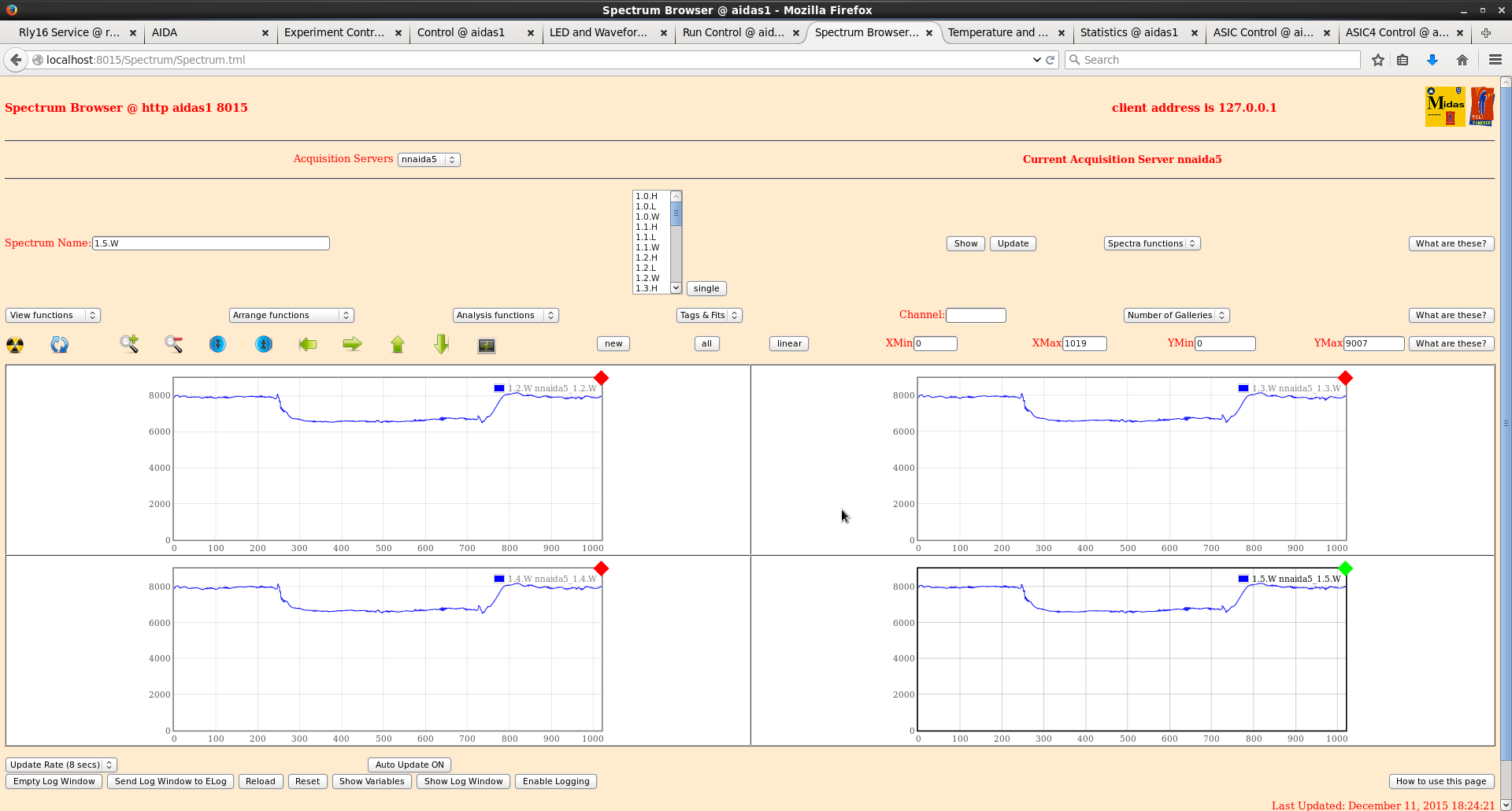
|
| Attachment 8: DSSD_set2_nnaida8_L.png
|
|
| Attachment 9: DSSD_set2_nnaida8_wf.png
|
|
|
|
134
|
Mon Dec 14 07:56:27 2015 |
CG | RIKEN progress | 13/12/15
Current jumper setup:
- detector 2977-15 connected to nnaida1,3,5,8 with GND kapton to nnaida1
- bias of +75V to nnaida3 and nnaida5
- Jumpers:
- nnaida1 > Lk1. If Lk3 3 connected unable to bias detector
- nnaida3 > Lk3. if Lk1 connected unable to bias detector as the HV ground reference is connected at both p- and n-sides of detector.
- nnaida5 > Lk1 + Lk3
- nnaida8 > Lk3
Powered system up as it was last night -> 2977-15 connected to nnaida1,3,5,8 with only 4 FEE modules powered.
- n-side widths ~190-200 ch
- p-side widths ~100ch
- jumpers as above, ASIC setting as 2015Dec12_smallSetup, wav thresholds all at 500 apart from nnaida5 @ 250.
Spend remainder of day trying to fit mezzanine cables.
14/12/15
Completed installation of mezzanine cables.
Resistance between all mezzanines and cooling crates still ~200 kOhms (up from ~2-5 Ohms on our arrival), apart from nnaida7+8, which is now at ~5 Ohms
However, all see resistance to main vertical copper pipe of ~3 Ohms.
As best as I can see, isolating tape in still in place for all FEEs => unknown point of contact.
> LEMO cables to test inputs carry ground connection from NIM bin -> NIM bin in electrical contact with support frame -> coolant loop in electrical contact with support frame => electrical connection still present between FEEs and coolant loop, even in insulating guide pins are introduced
> this problem is not observed at DL because the NIM bin in on the wooden table top and isolated from the coolant loop and any support structure
> is it possible to isolate the NIM bins from the support structure?
> need to come up with some more systematic and fixed way/positions for measuring these resistances, i.e. always measure mezzanine to X.
Resistance between all mezzanines now ~ 0.5 Ohms.
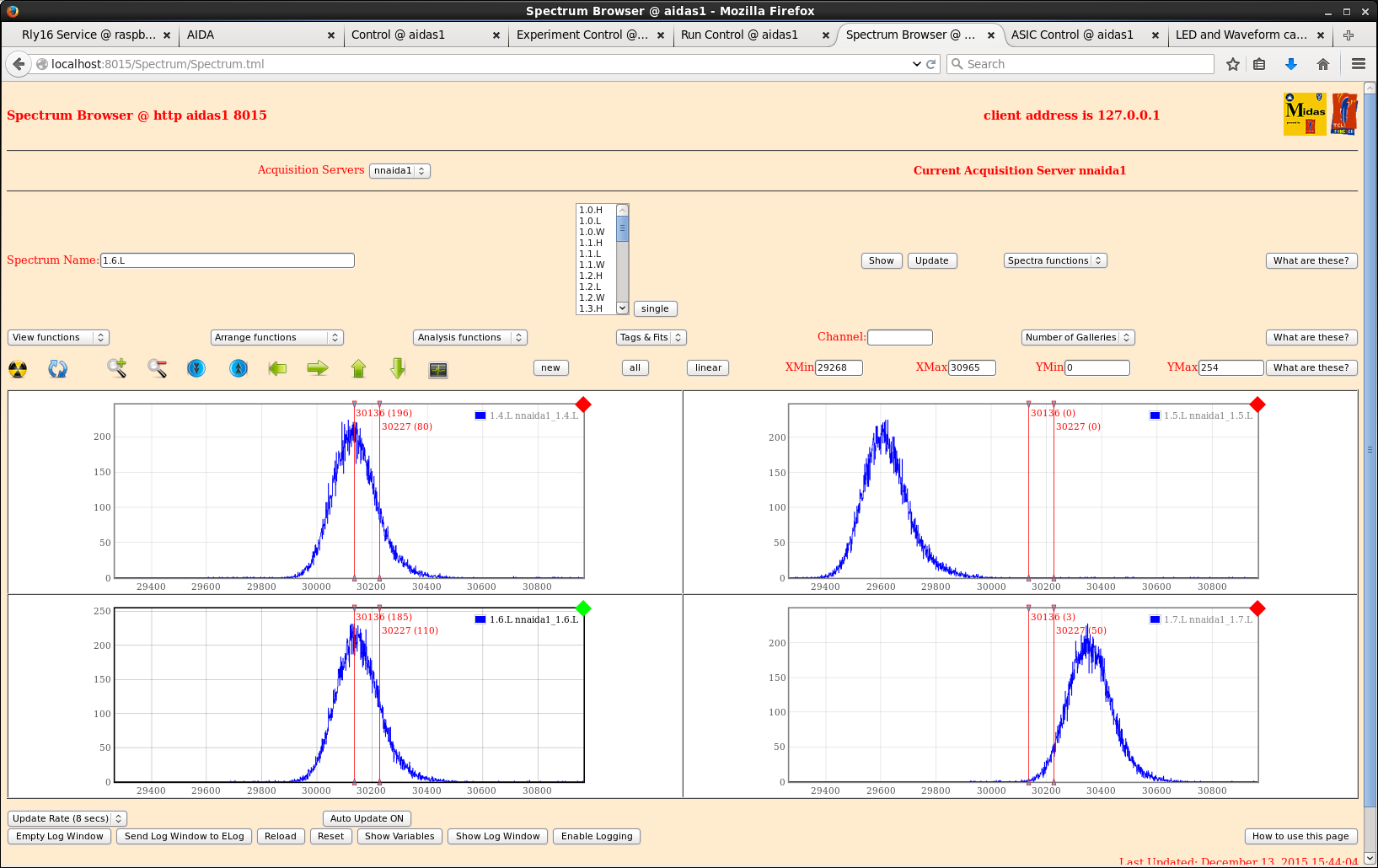
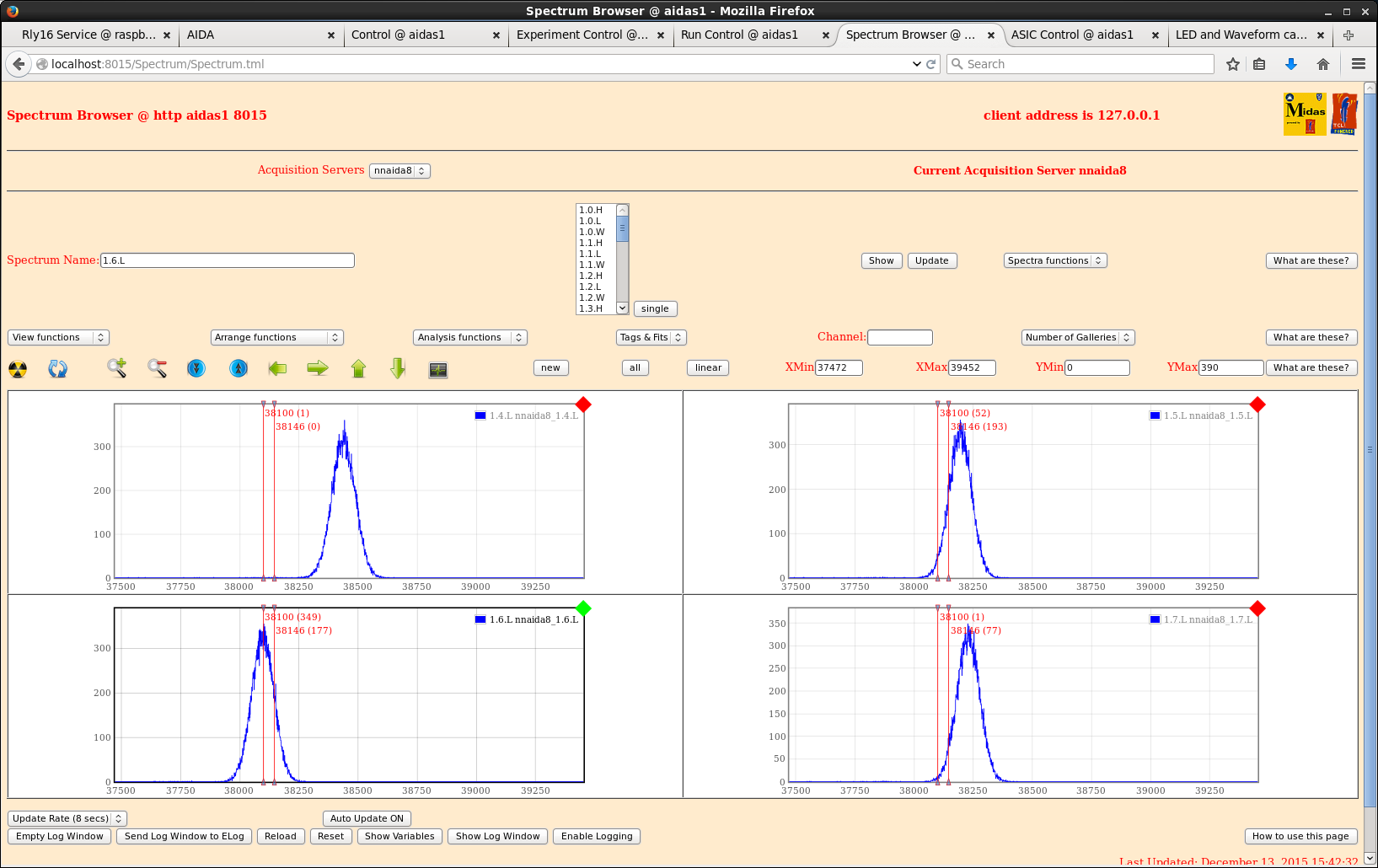
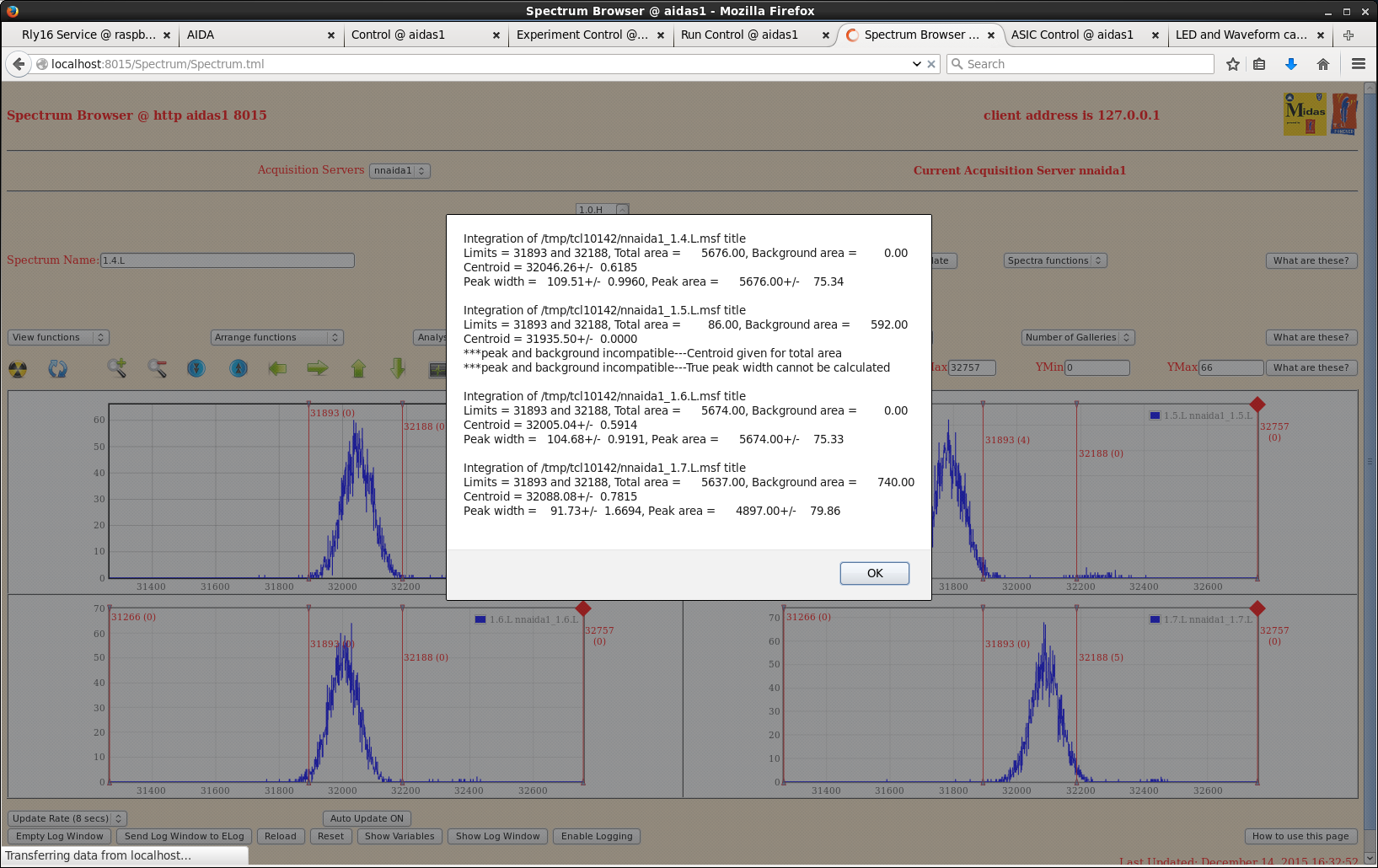
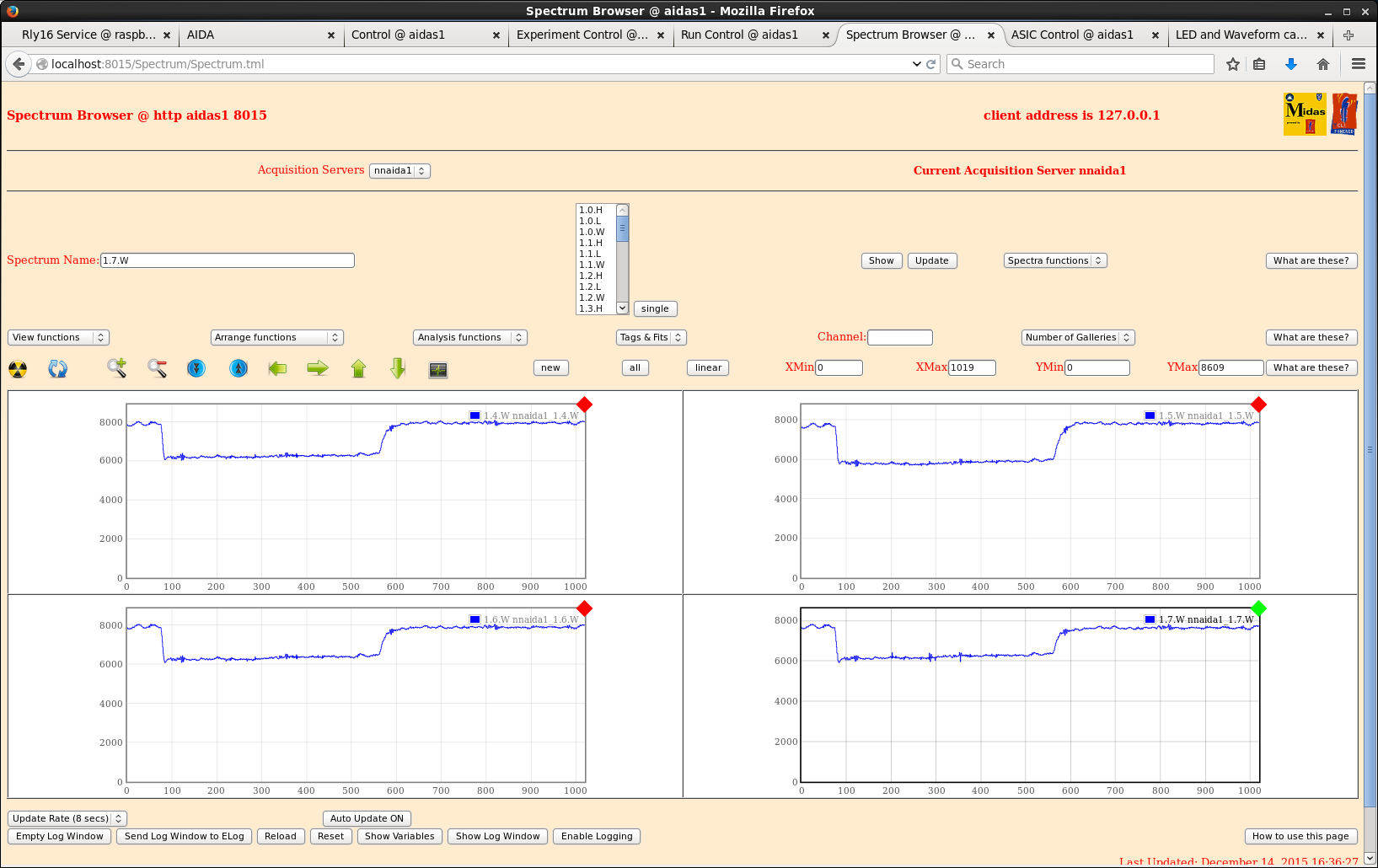
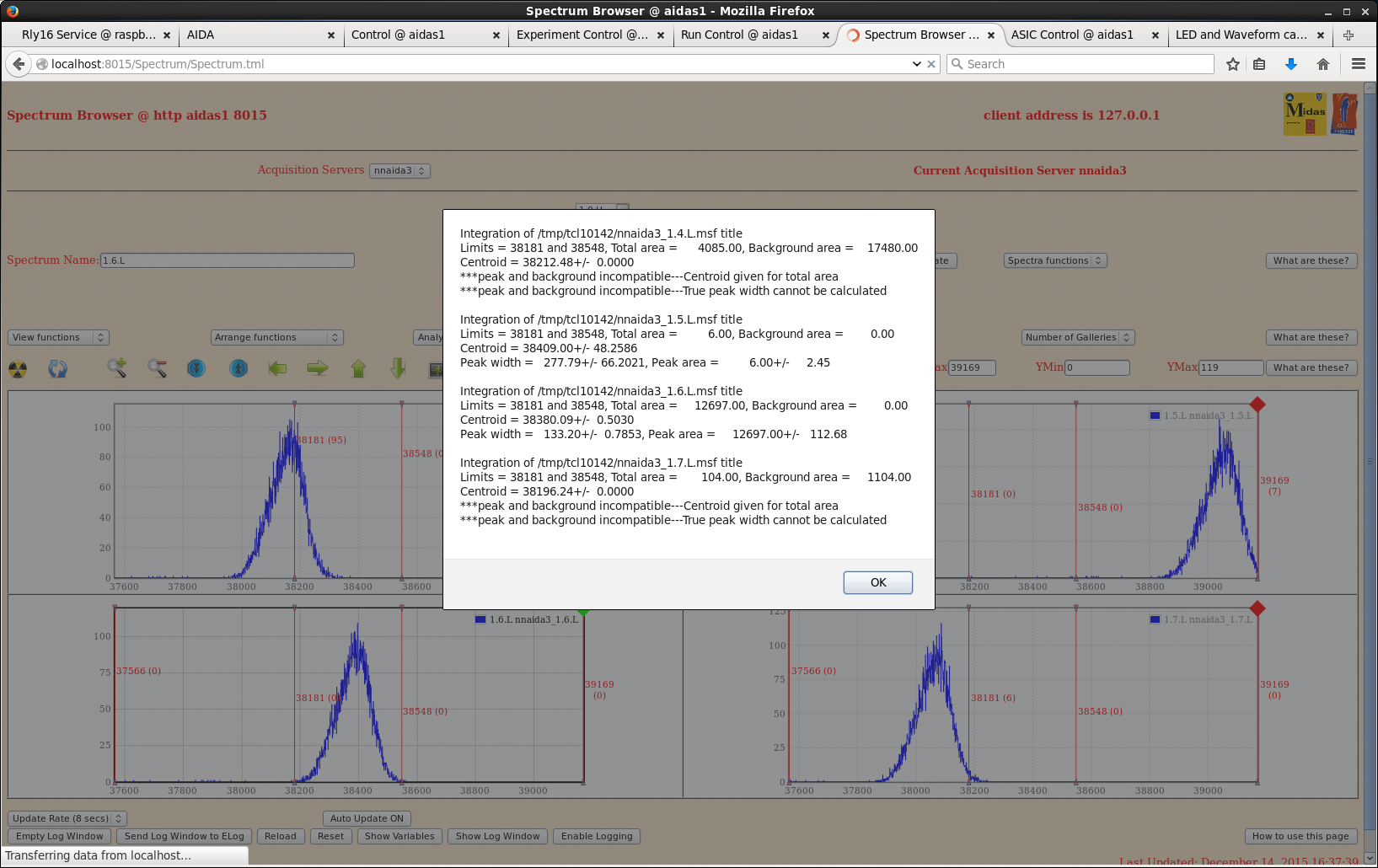
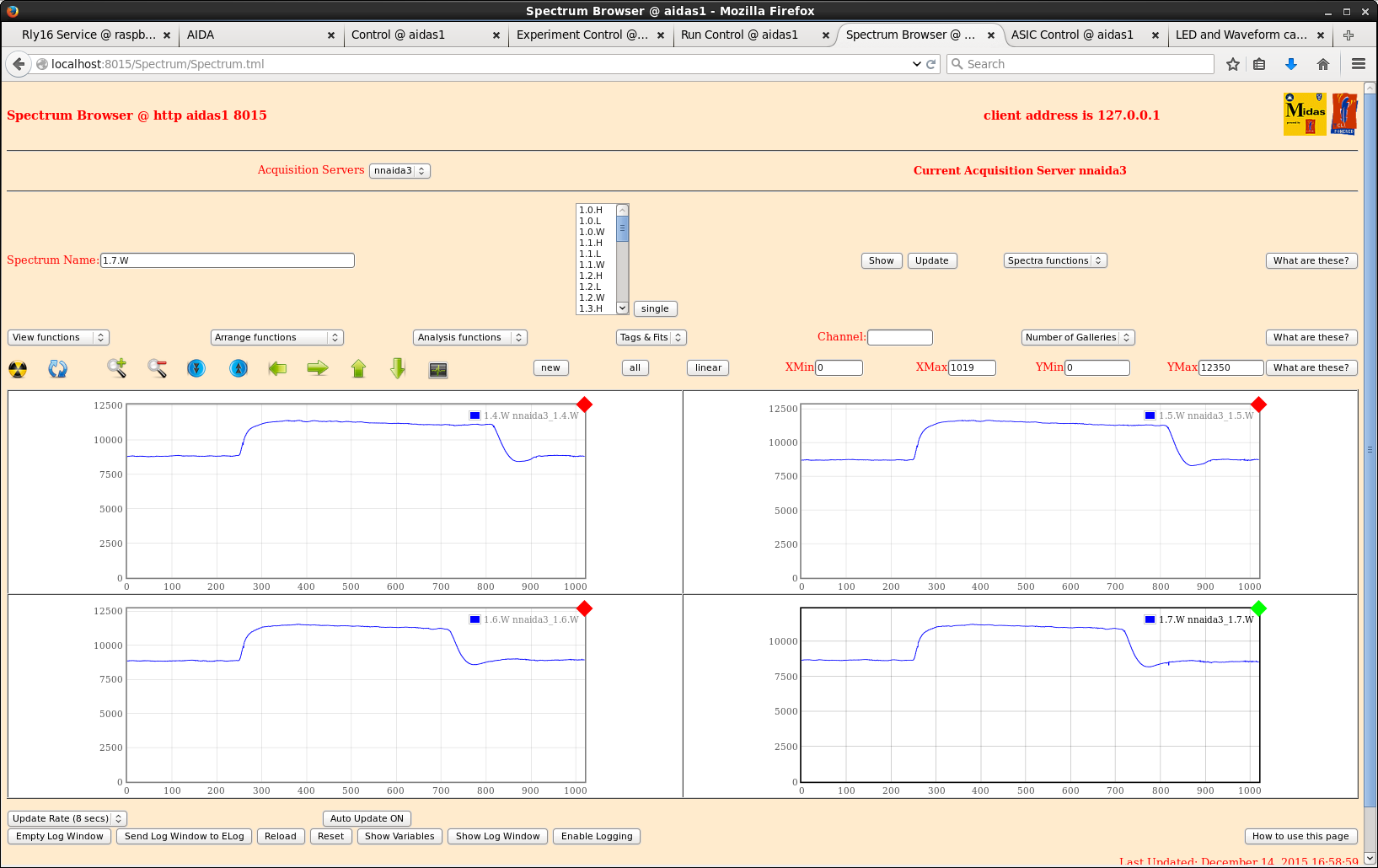
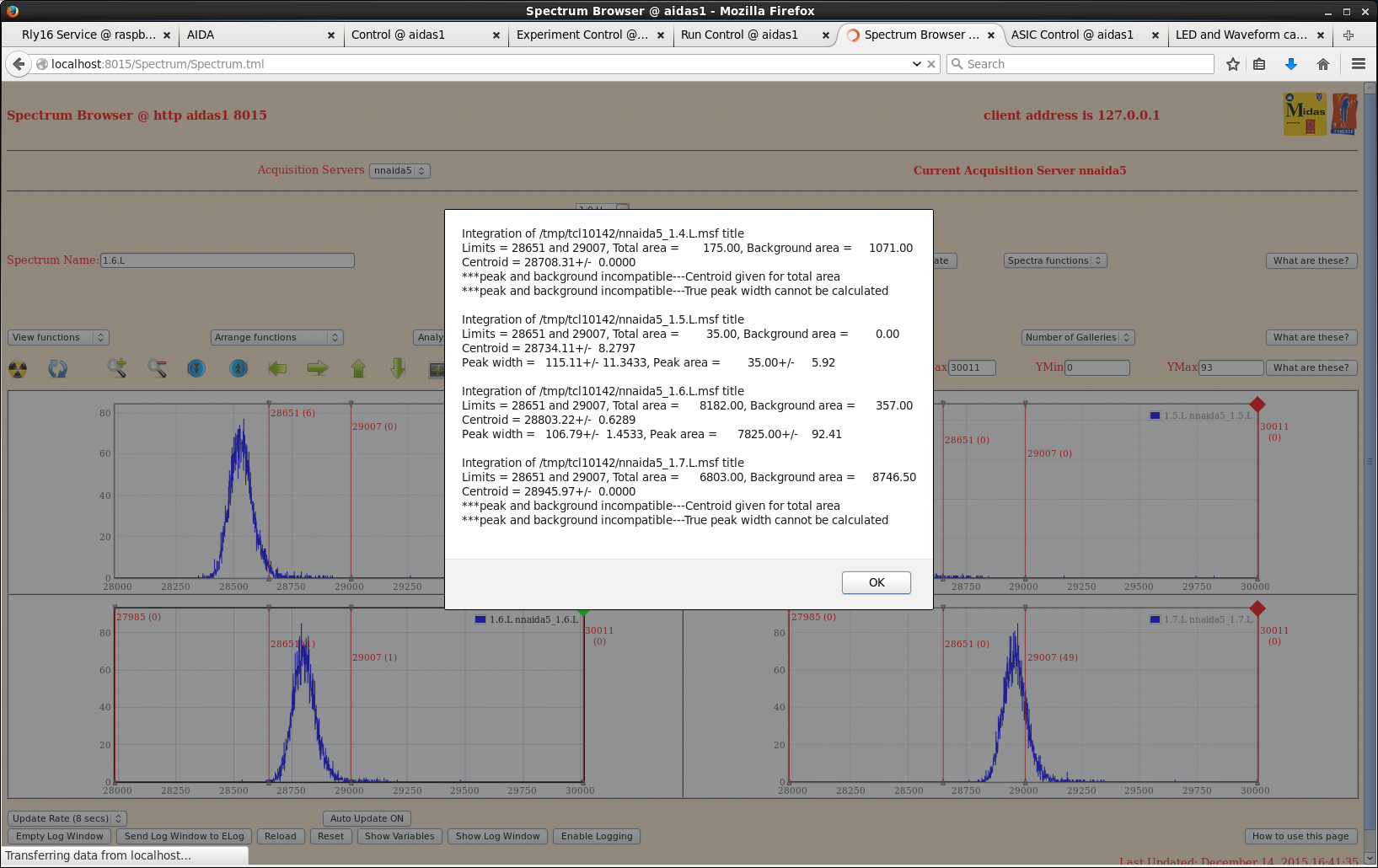
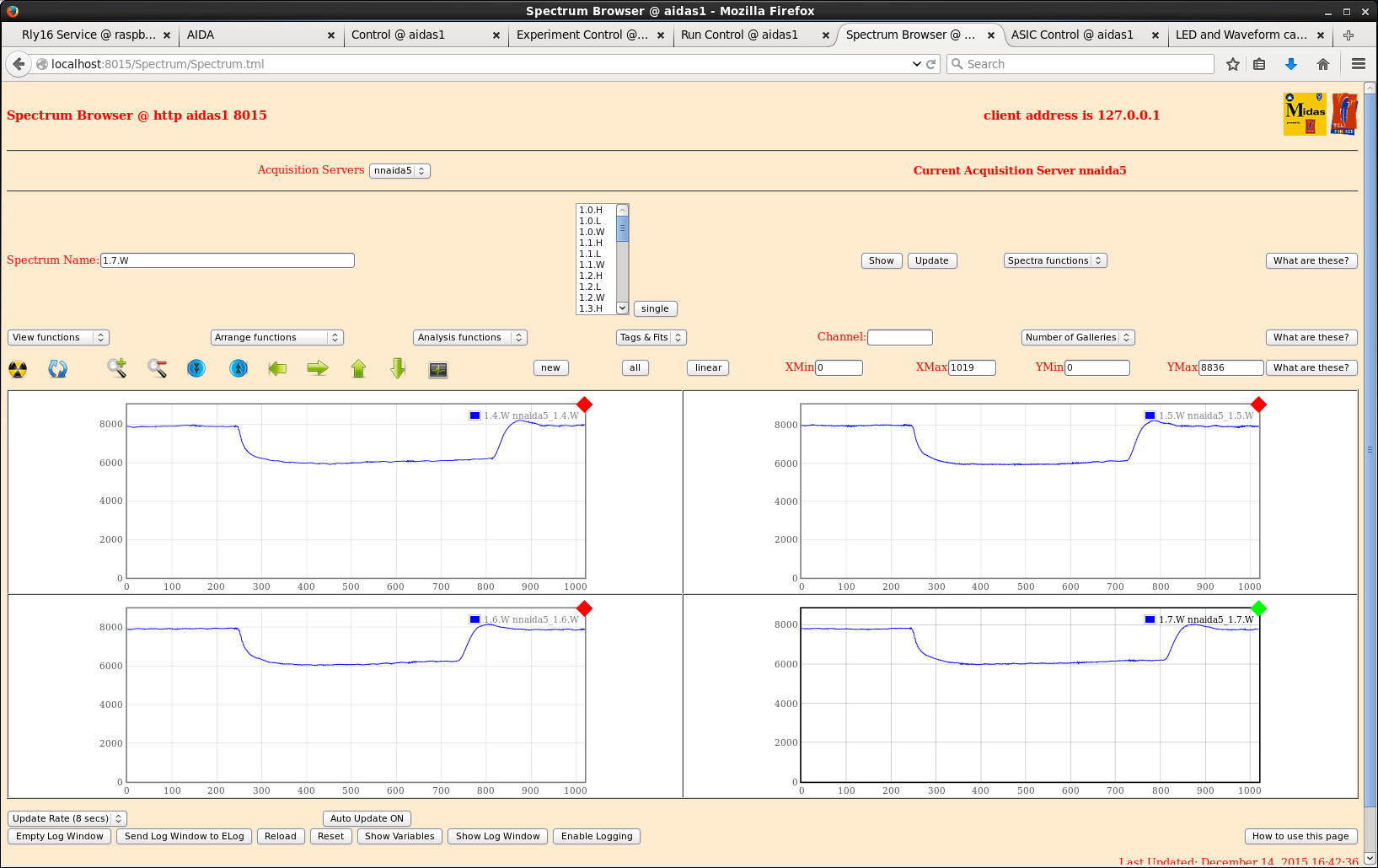
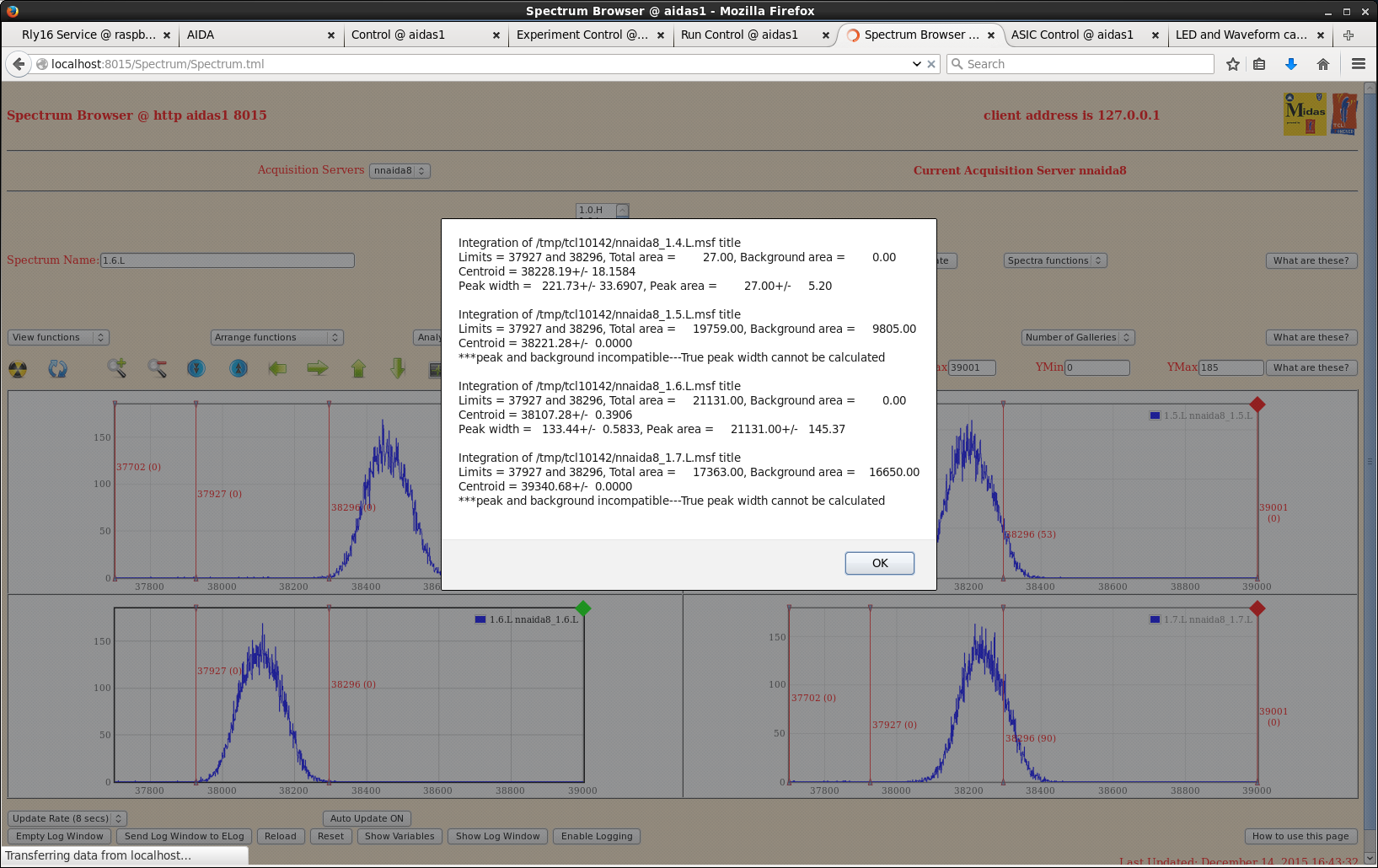
n-side widths ~ 120ch and p-side widths ~ 120ch => peak widths almost halved in n-side, but increased by ~20% in p-side.
Attempted to bias previously tripped detector.
- same jumper combination as other detector caused failure to bias > leakage current jumps to 50uA at ~2V and trips shortly after, ramping back down from there.
- removed all jumpers and see same thing.
Will try again in the morning by attaching 3131-11 to cables currently on 2977-15, but it looks like 3131-11 really is defective somehow. |
| Attachment 1: nnaida1_spec.png
|
|
| Attachment 2: nnaida8_spec.png
|
|
| Attachment 3: nnaida1_spec_mezzCablesOn.png
|
|
| Attachment 4: nnaida1_wav_mezzCablesOn.png
|
|
| Attachment 5: nnaida3_spec_mezzCablesOn.png
|
|
| Attachment 6: nnaida3_wav_mezzCablesOn.png
|
|
| Attachment 7: nnaida5_spec_mezzCablesOn.png
|
|
| Attachment 8: nnaida5_wav_mezzCablesOn.png
|
|
| Attachment 9: nnaida8_spec_mezzCablesOn.png
|
|
| Attachment 10: nnaida8_wav_mezzCablesOn.png
|
|
|
|
167
|
Tue Mar 8 06:00:45 2016 |
CG, AE | RIKEN maintenance progress | 07/03/16
The new snout doesn't fit due to the screw holes being misaligned. I am going to try modifying the old one (that was in conflict with some material in the base) over the next couple of days. It is too long by 11mm, so if I can remove that it should then fit..
So after some modifications to the supports, the PSUs and NIM crates are now fully isolated from the frame.
I am currently working through changing all the guide pins for the new plastic ones and adding the shielding gasket.
Shunji made an interesting comment when we were discussing isolating the FEEs yesterday, in that, the ground connections for the chiller and the power we provide to our PSUs are connected to the same network.
- I measure the resistance between the chiller ground and the power ground to be 2.5 Ohms.
- The resistance between the chiller ground and the main Cu water pipe is ~2.2 kOhms.
- We have three possible options here (that we have come up with so far):
* disconnect the chiller ground from the network -> potentially very dangerous
* put a large resistance in between the chiller and the ground
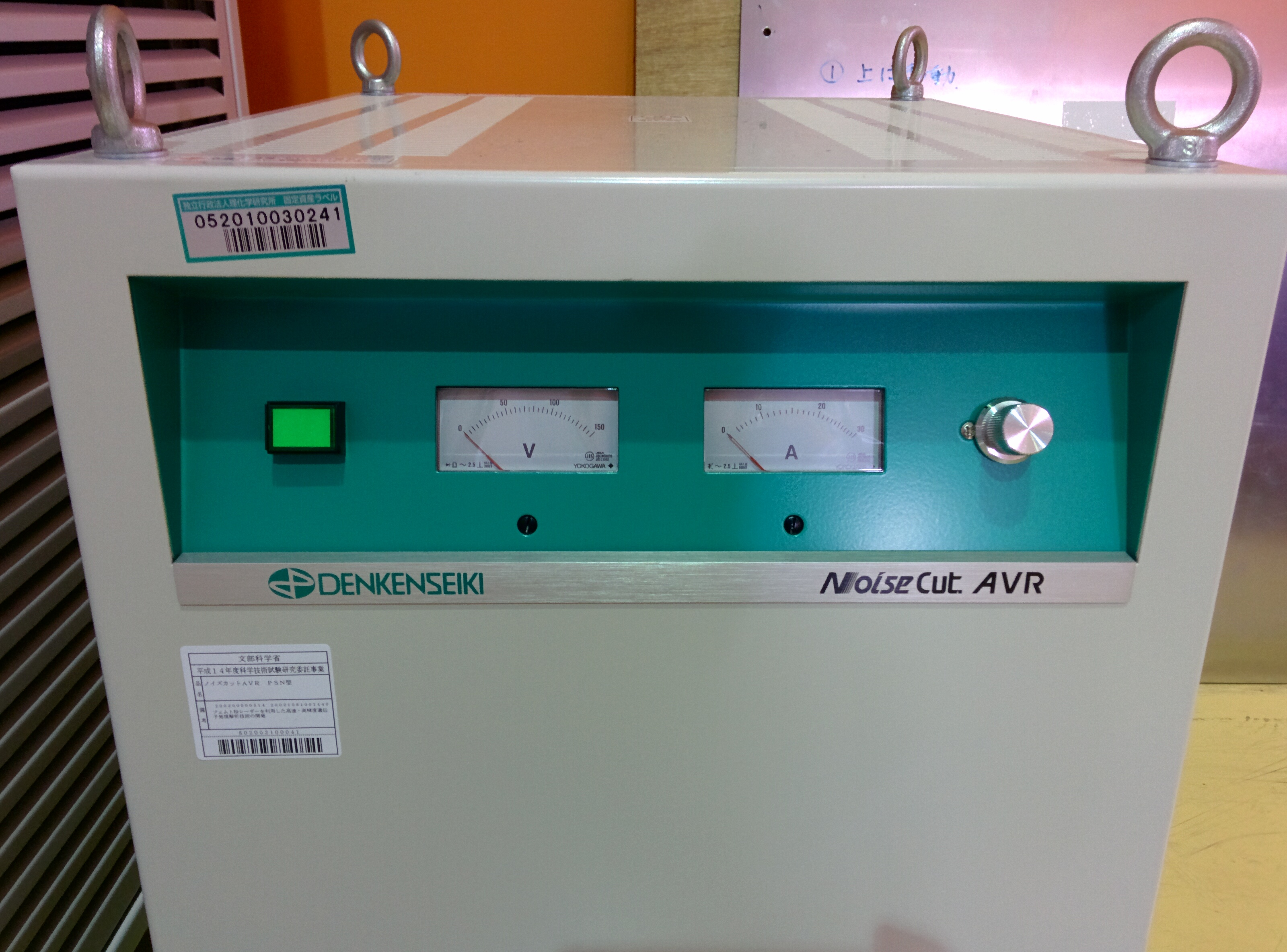
* Shunji has available a noise cut trans with up to 30A capability that could be used for our NIM crates and power supplies (I think we draw < 30A IIRC) [photos attached]
I will carry out some short pulser tests with a DSSSD connected via the most recent kaptons this afternoon to see what effect the isolation and gasket has had so far. |
| Attachment 1: 2016-03-07_15.54.46.jpg
|
|
|